ELEGOO Saturn 4 Ultra 16K Resin 3D Printer is our top recommendation for the Best Resin 3D Printers for Miniatures, offering an exceptional 16K resolution that captures the finest details required for tabletop gaming figures. For those prioritizing raw speed, the ELEGOO Mars 5 Ultra provides a rapid tilt-release system, while the ANYCUBIC Photon Mono 4 serves as a high-precision alternative for users seeking a balance of resolution and build volume.
Selecting the right printer for miniatures requires balancing pixel density with practical workflow features. High-resolution LCD screens are essential for rendering sharp features on small-scale models, but features like auto-leveling and integrated sensors significantly reduce the friction of the printing process for both hobbyists and experienced creators.
Beyond raw specs, consider the long-term maintenance of your machine. Features such as heated resin tanks and smart mechanical sensors help ensure consistent success rates, preventing the frustration of failed prints that can occur when environmental conditions shift or resin levels drop unexpectedly.
For more information on the broader landscape of hobbyist equipment, our guide to Best 3D Printers for Miniatures provides additional context on selecting the right hardware for your tabletop projects.
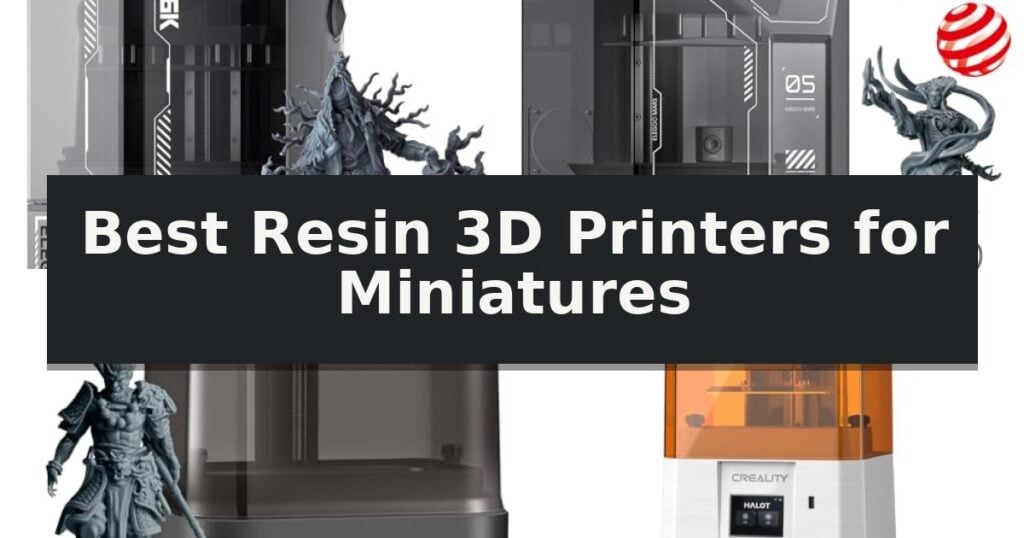
5 Best Resin 3D Printers for Miniatures in 2026 Reviews
Quick Comparison
| Product | Best For | Key Strength | Score |
|---|---|---|---|
| ELEGOO Saturn 4 Ultra 16K Resin 3D Printer | Best Overall | 16K resolution for exceptional detail on intricate models. | 4.9 |
| ELEGOO Mars 5 Ultra Resin 3D Printer | Fastest Printing for Miniatures | 9K ultra-high resolution for exceptional detail reproduction. | 4.6 |
| ANYCUBIC Photon Mono 4 Resin 3D Printer | High-Precision 10K Resolution | 10K high-resolution LCD for exceptional model detail. | 4.7 |
| Creality HALOT-X1 Neo Resin 3D Printer | Beginner-Friendly 9K Printing | 9K ultra-high resolution for exceptional detail on small-scale prints. | 4.5 |
| MALYAN S100 Mini Resin 3D Printer | Compact Entry-Level Choice | Auto-leveling system for simplified setup. | 4.7 |
How We Chose
Evaluating resin 3D printers for miniatures requires a focus on precision and reliability. An experienced reviewer examines the pixel density of the LCD screen, the robustness of the build plate leveling system, and the integration of smart sensors to determine which machines consistently produce high-fidelity results without excessive manual intervention.
- XY resolution and pixel size for fine detail reproduction
- Build volume capacity relative to standard miniature scaling
- Printing speed and layer curing efficiency
- Automation features including auto-leveling and mechanical sensors
- Connectivity options for streamlined file management
1 ELEGOO Saturn 4 Ultra 16K Resin 3D Printer — Best for Ultra-High Detail
Achieving professional-grade detail on small-scale models requires precision, and the ELEGOO Saturn 4 Ultra 16K Resin 3D Printer delivers this through its high-resolution 16K mono LCD. With an XY resolution of 14 x 19 μm, this printer is engineered to capture intricate textures and fine features, making it a specialized tool for those focused on high-fidelity miniature production.
Beyond resolution, the printer integrates advanced hardware to streamline the workflow. The automatic heated resin tank maintains a consistent temperature above 25°C, which is critical for maintaining resin properties and improving success rates in varying environments. Furthermore, the tilted release technology and increased light energy intensity allow for high-speed printing, reaching speeds of up to 150mm/h without the need for specialized release films.
Usability is enhanced by a smart monitoring system that includes a built-in mechanical sensor. This system actively tracks resin levels, detects foreign objects, and verifies build plate leveling, providing automated alerts to prevent print failures. The inclusion of an AI smart camera allows for real-time monitoring and time-lapse recording, with integrated lighting to ensure visibility regardless of ambient conditions.
The machine is designed for accessibility, featuring automatic leveling and one-click self-checks upon startup. These features, combined with Wi-Fi transfer capabilities and power-on resume functionality, create a robust environment for both experienced users and those new to resin printing. It balances high-end technical specifications with automated maintenance to ensure a reliable output for complex miniature projects.
Best for: Users who prioritize ultra-high resolution and automated monitoring for complex, high-detail miniature printing.
Skip if: Users who require a smaller footprint or have a limited budget, as the advanced features and large build volume may exceed the needs of casual hobbyists.
- 16K resolution for exceptional detail on intricate models.
- Automatic heated resin tank ensures consistent printing success.
- AI-integrated camera for real-time monitoring and error detection.
- Smart mechanical sensors for automated leveling and material management.
- Large physical footprint may require significant dedicated workspace.
- Advanced feature set represents a higher investment than entry-level models.
2 ELEGOO Mars 5 Ultra Resin 3D Printer — Fastest Printing for Miniatures
Achieving high-fidelity results for intricate tabletop gaming pieces requires hardware capable of handling fine geometry. The ELEGOO Mars 5 Ultra Resin 3D Printer distinguishes itself with a 7-inch 9K mono LCD, providing an 18 μm XY resolution that captures minute textures and complex details necessary for high-quality miniatures.
Efficiency in the printing workflow is addressed through the machine's tilt release technology, which facilitates a print speed of up to 150 mm/h. This system allows for rapid model peeling from the release film without sacrificing structural accuracy. Users can toggle between fast and slow print modes to balance speed requirements with specific project needs.
To minimize the risk of failed prints, the unit integrates an AI camera that monitors the build process in real-time to detect common errors like model warps or empty build plates. Complementing this, a smart mechanical sensor provides residue detection to protect the LCD screen from damage, while automated alerts notify the user of resin shortages or leveling issues.
For those managing multiple projects, the printer supports Wi-Fi cluster printing, enabling centralized control over several units from a single device. This feature streamlines production, allowing for synchronized output when scaling up the creation of game pieces or terrain sets.
Best for: Miniature hobbyists who prioritize high-resolution detail and require automated error monitoring to reduce material waste.
Skip if: Users who require a large-format build volume for printing oversized terrain or statues will find the 6.04 x 3.06 x 6.49 inch printing area too restrictive.
- 9K ultra-high resolution for exceptional detail reproduction.
- Tilt release technology enables rapid printing speeds up to 150 mm/h.
- AI-powered error detection helps prevent failed prints and wasted resin.
- Smart mechanical sensors protect the LCD screen from residue damage.
- Limited build volume may not accommodate larger gaming terrain pieces.
- AI detection accuracy can be influenced by specific resin types and environmental conditions.
3 ANYCUBIC Photon Mono 4 Resin 3D Printer — High-Precision 10K Resolution
Achieving professional-grade detail on miniature figures requires precise hardware, and the ANYCUBIC Photon Mono 4 Resin 3D Printer addresses this with a high-resolution 10K monochrome LCD screen. By utilizing a 9024×5120 resolution, this printer achieves a pixel size of 17×17μm, which provides a 105% increase in precision compared to its predecessor, the Mono 2.
Beyond resolution, the printer incorporates the LighTurbo matrix light source technology. This system is engineered to deliver balanced, uniform illumination across the build area, which helps minimize layer lines and rasterization for smoother surface finishes. The laser-engraved print platform 2.0 further enhances the workflow by improving model adhesion to reduce the risk of warping or lifting during the print process.
For those managing daily printing tasks, the ANYCUBIC Photon Mono 4 offers a build volume of 6.04'' x 3.42'' x 6.49''. The unit is designed with a 4-point leveling method, which is intended to simplify the initial setup for beginners; once the four screws are tightened, the system maintains its alignment. Additionally, the printer includes a power-loss resume function to help mitigate material waste during unexpected interruptions.
While the hardware is robust, users should note that this specific model does not support the Anycubic APP service. The machine is a dedicated, standalone tool focused on high-detail output for hobbyists who prioritize resolution and build reliability over cloud-connected features.
Best for: Hobbyists seeking high-resolution 10K printing for detailed miniature figures and small-scale models.
Skip if: Users who require cloud-based monitoring or remote control via the Anycubic APP service.
- 10K high-resolution LCD for exceptional model detail.
- LighTurbo matrix light source for reduced layer lines.
- Laser-engraved platform to improve model adhesion.
- 4-point leveling system for simplified setup.
- No support for the Anycubic APP service.
4 Creality HALOT-X1 Neo Resin 3D Printer — Beginner-Friendly 9K Printing
Achieving professional-grade detail on tabletop figures requires hardware capable of extreme precision, and the Creality HALOT-X1 Neo Resin 3D Printer addresses this with a 6.8-inch 9K LCD screen. By utilizing an 8520 × 4320 resolution, this printer achieves an ultra-fine 18μm XY pixel size, which is essential for rendering the intricate textures and sharp edges found on complex miniatures.
Designed to lower the barrier to entry, the printer features a factory pre-leveled build platform that allows for a plug-and-play experience right out of the box. Users can access comprehensive setup tutorials via a QR code, simplifying the initial calibration process that often challenges newcomers to resin printing.
The integration of AI-powered 2D-to-3D model generation, powered by FanForge, provides a unique workflow for creators looking to turn flat images into physical objects in as little as 3.5 hours. This feature complements the standard slicing workflow, which supports popular software like HALOT BOX, CHITUBOX, and Lychee Slicer for maximum flexibility.
With a build volume of 153.36 × 77.76 × 160 mm and adjustable layer thickness ranging from 0.01 to 0.2 mm, the Creality HALOT-X1 Neo Resin 3D Printer balances a compact desktop footprint with the high-precision output required for detailed character modeling and tabletop gaming components.
Best for: Beginner and intermediate creators who prioritize high-resolution detail for miniatures and want a simplified, pre-leveled setup process.
Skip if: Users requiring a large-format build volume for printing full-size helmets or large-scale terrain pieces will find the 160 mm height constraint limiting.
- 9K ultra-high resolution for exceptional detail on small-scale prints.
- Factory pre-leveled build platform reduces setup time for beginners.
- Versatile connectivity including 2.4GHz WiFi and USB support.
- AI-powered model generation streamlines the transition from 2D concepts to 3D objects.
- Compact build volume may restrict the size of larger individual models.
- Specific software compatibility requires reliance on supported slicers like HALOT BOX or Lychee.
5 MALYAN S100 Mini Resin 3D Printer — Compact Entry-Level Choice
Achieving high-fidelity results for small-scale projects requires a machine capable of fine detail, and the MALYAN S100 Mini Resin 3D Printer is built specifically for this purpose. Utilizing a 5.5-inch LCD screen with a 2560×1440 resolution, this printer is designed to capture intricate textures and sharp features on miniature models, bringing complex designs to life with precision.
The printer simplifies the setup process through its auto-leveling system, which calibrates the print platform automatically at the start of every job. This feature, combined with a laser-engraved build plate, helps ensure consistent model adhesion and reduces the likelihood of warping during the printing process. The build area measures 115 x 65 x 110 mm, providing a dedicated space for small-scale production.
To maintain surface quality, the MALYAN S100 Mini Resin 3D Printer incorporates a 57W parallel LED array. This light source provides uniform illumination across the build area, which helps minimize visible layer lines and grid patterns on the finished model. The inclusion of a magnetic build plate further improves workflow by allowing for quick removal and easier cleaning between consecutive print jobs.
While this printer is optimized for beginners, users should note that achieving the best results requires matching specific resin parameters to the printer's settings. Its compact footprint and automated features make it a practical choice for those focused on detailed, small-format 3D printing.
Best for: Beginners and hobbyists looking for a compact, automated solution for printing high-detail miniatures.
Skip if: Users requiring a large build volume for printing full-sized props or architectural models will find the 115 x 65 x 110 mm capacity too restrictive.
- Auto-leveling system for simplified setup.
- 2K resolution LCD for high-precision detail.
- Magnetic build plate for easy part removal.
- Parallel LED array to reduce visible layer lines.
- Limited build volume restricts the size of individual prints.
Best Resin 3D Printers for Miniatures Buying Guide
Understanding Resolution and Detail
The primary factor in miniature printing is the XY resolution of the LCD screen. Higher pixel counts allow for smaller pixel sizes, which directly translates to sharper edges and more intricate textures on your models.
When comparing printers, look for the micron-level resolution. A smaller micron value indicates that the printer can resolve finer details, which is critical for capturing the subtle features of small-scale figurines.
The Importance of Build Plate Leveling
Manual leveling can be a significant hurdle for new users and a source of inconsistency for veterans. Printers featuring automatic leveling systems ensure that the build plate is perfectly parallel to the screen, which is essential for successful first-layer adhesion.
Reliable leveling prevents common failures like models detaching from the plate or warping during the print. Choosing a machine with robust, automated calibration saves time and reduces the waste of resin and time.
Speed and Efficiency Considerations
Modern resin printers have introduced tilt-release technologies that significantly increase print speeds. This is particularly beneficial for batch printing multiple miniatures at once, as it reduces the time the build plate spends in the vat.
While speed is an advantage, it should not come at the cost of detail. Ensure the printer maintains its stated resolution even when operating in high-speed modes to avoid sacrificing quality for throughput.
Smart Sensors and Monitoring
Integrated AI cameras and mechanical sensors provide a safety net for your prints. These systems can detect empty build plates, resin shortages, or foreign objects in the vat, alerting you before a failure ruins your project.
Monitoring features also allow for remote oversight, which is helpful for long print jobs. Being able to check the status of a print via a connected app or camera adds a layer of convenience to the hobby.
Connectivity and Workflow
Efficient file transfer is often overlooked but crucial for a smooth workflow. Wi-Fi connectivity allows you to send files directly to the printer, eliminating the need for physical USB drives and simplifying the management of multiple print jobs.
Compatibility with popular slicing software is another key factor. Ensure your chosen printer works well with the tools you prefer, as this will influence how easily you can prepare your models for printing.
Frequently Asked Questions
Do I need a 16K printer for miniatures?
While 16K resolution offers the highest level of detail, 9K or 10K printers are often sufficient for standard tabletop miniatures. The choice depends on whether you are printing display-grade models or gaming pieces.
How often do I need to level the build plate?
With modern auto-leveling printers, you rarely need to perform manual leveling. However, it is good practice to check the calibration if you notice consistent adhesion issues.
Is resin printing safe for home use?
Resin printing requires proper ventilation and personal protective equipment. Always use the printer in a well-ventilated area and wear gloves and eye protection when handling resin.
Can I use any resin with these printers?
Most resin printers are compatible with standard 405nm UV resins. However, always check the manufacturer's recommendations for specific settings to ensure the best results.
What is the benefit of a heated resin tank?
A heated tank maintains the resin at an optimal temperature, which improves flow and curing consistency. This is especially useful if you print in cooler environments.
Conclusion: Our Top Pick
Our top pick is ELEGOO Saturn 4 Ultra 16K Resin 3D Printer. Choosing the right resin 3D printer for miniatures depends on your specific needs for detail, speed, and automation. The ELEGOO Saturn 4 Ultra 16K stands out for its high-resolution output, while other models offer specialized benefits like faster print times or beginner-friendly setups.
Evaluate your workspace and the complexity of your projects before making a decision. By prioritizing features that align with your printing goals, you can ensure a productive and rewarding experience in creating high-quality miniatures.