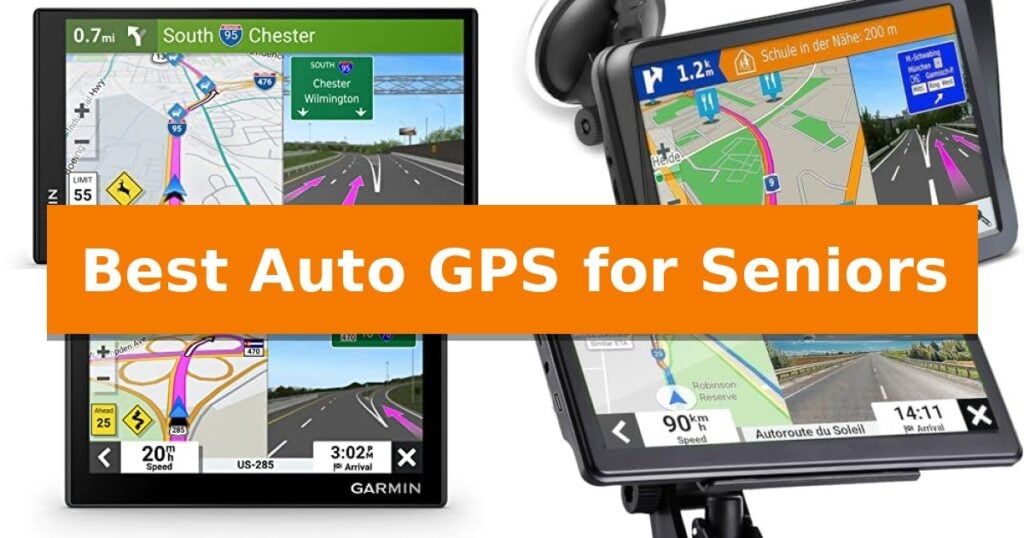
Choosing the best auto GPS for seniors often comes down to balancing screen size against overall interface simplicity. The Garmin DriveSmart 86 offers a significant advantage with its 8-inch high-resolution display, which provides superior map visibility and larger text compared to the 5-inch Garmin Drive 53. While the latter is a more compact, straightforward device for those who prefer a smaller footprint, the DriveSmart 86 is the better choice for drivers who prioritize maximum clarity and easier interaction with on-screen menus.
When evaluating navigation tools for older adults, the primary goal is to minimize distraction while maximizing situational awareness. Features like voice-activated assistance and clear, spoken turn-by-turn directions are essential for keeping eyes on the road. Beyond the display size, consider how easily the device mounts to the dashboard or windshield, as a secure, stable position is critical for consistent readability during travel.
Reliable map updates and driver alerts—such as warnings for sharp curves, school zones, or speed changes—add a layer of support that can help maintain confidence behind the wheel. By focusing on devices that offer intuitive operation and high-contrast visuals, drivers can find a navigation solution that supports their needs without unnecessary complexity.
For more related guidance, see our guides on 10 Best GPS for Seniors and 5 Best 6-Inch Screen GPS for Seniors.
Best Auto GPS for Seniors: Our 2026 Shortlist
Compare Best Auto GPS for Seniors
| Product | Model | Display Size | Key Navigation Features |
|---|---|---|---|
| Garmin DriveSmart 86 GPS Navigator | Garmin DriveSmart 86 | 8 inches | Voice assist, live traffic, driver alerts |
| QEDASS 9-Inch GPS Navigator | QEDASS 9-Inch GPS | 9 inches | Voice guidance, speed limit alerts, 2D/3D maps |
| Garmin Drive 53 GPS Navigator | Garmin Drive 53 | 5 inches | Simple menus, landmark guidance, driver alerts |
| NAVRUF 7-Inch GPS Navigator | NAVRUF 7-Inch GPS | 7 inches | Voice guidance, speed camera alerts, 2D/3D maps |
| LMCOWRE 7-Inch GPS Navigator | LMCOWRE 7-Inch GPS | 7 inches | Voice guidance, speed limit alerts, custom routing |
| Garmin dēzl OTR720 GPS Navigator | Garmin dēzl OTR720 | 7 inches | Custom truck routing, high-res display, arrival planning |
| Garmin dēzl OTR620 GPS Navigator | Garmin dēzl OTR620 | 6 inches | Driver alerts, smart connectivity, custom routing |
| Rand McNally TND 550 GPS Navigator | Rand McNally TND 550 | 5 inches | Custom truck routing, Rand Navigation 2.0 |
Best Auto GPS for Seniors Reviews: Our 2026 Picks
Garmin DriveSmart 86 GPS Navigator
Navigating to a new destination can be stressful when you are trying to focus on heavy traffic or unfamiliar road signs, especially when your current screen is too small to read at a glance. The Garmin DriveSmart 86, 8-inch Car GPS Navigator addresses this by offering a large 8-inch high-resolution display, which provides significantly more screen real estate than standard smartphone mounts or smaller portable units. This size increase allows for clearer map visualization, making it easier to follow complex turns and upcoming road information without squinting.
Beyond its physical size, this navigator acts as a comprehensive travel companion. It features Garmin Voice Assist, allowing you to request directions or search for points of interest using your voice, which helps keep your hands on the wheel. For those who prefer staying connected, the unit supports hands-free calling via Bluetooth when paired with a compatible smartphone, and it can display smart notifications directly on the map screen.
Safety and situational awareness are central to its design. The device includes driver alerts that provide warnings for school zones, sharp curves, and sudden speed changes. To keep your route efficient, the system can access live traffic and weather updates when paired with the Garmin Drive app, helping you avoid congestion before you reach it.
Maintenance and setup are streamlined for long-term use. The built-in Wi-Fi connectivity allows you to download map and software updates wirelessly, eliminating the need to connect the device to a computer. The package also includes a dual USB charger, ensuring you have an extra port available to charge your phone or other electronics while the GPS is in use.
- Large 8-inch high-resolution display for superior readability.
- Wireless map and software updates via built-in Wi-Fi.
- Hands-free calling and voice-activated navigation features.
- Proactive driver alerts for improved situational awareness.
- Requires smartphone pairing via the Garmin Drive app to access live traffic and weather features.
- Larger footprint may require more dashboard space than smaller 5- or 6-inch models.
Best suited to: This model is ideal for seniors or caregivers who need a large, high-contrast display and simple, voice-guided navigation to reduce technical friction while driving.
Consider an alternative if: Drivers with very limited dashboard space or those who prefer a compact, minimalist GPS unit may find the 8-inch screen size to be more than they need.
QEDASS 9-Inch GPS Navigator
Navigating unfamiliar routes becomes significantly more manageable with the QEDASS 9-Inch GPS Navigator, which distinguishes itself through an expansive, high-contrast 9-inch HD touchscreen. This oversized display provides a wide field of view, ensuring that maps, lane guidance, and upcoming turn alerts are easily legible at a glance without requiring the driver to squint or lean forward.
Designed for versatility, the device supports seven distinct vehicle modes, including car, truck, and bus. By inputting specific vehicle dimensions—such as weight, length, and height—the system calculates routes that proactively avoid roads with restrictive infrastructure. This feature is particularly useful for those driving larger vehicles who need to bypass weight-limited bridges or height-restricted tunnels.
The QEDASS 9-Inch GPS Navigator simplifies the driving experience with intelligent voice guidance available in 29 languages. Beyond basic directions, the unit provides real-time alerts for speed limits, traffic cameras, and upcoming lane changes. These audible prompts allow drivers to maintain their focus on the road while receiving essential navigation updates.
Installation is straightforward with the included complete kit, which features a powerful suction cup mount and a dashboard clip. The system is ready to use right out of the box, offering a plug-and-play experience. Additionally, the device comes preloaded with 2026 North America maps and supports lifetime free map updates, ensuring that navigation data remains current for future travel.
- Large 9-inch HD touchscreen for superior visibility.
- Customizable vehicle routing based on weight, height, and length.
- Lifetime free map updates for North America.
- Comprehensive alerts for speed limits and traffic cameras.
- Large footprint may obstruct visibility in smaller vehicle cabins.
- FM broadcast feature is limited to sound transfer and does not function as a standard radio.
Best suited to: Seniors, truck drivers, and travelers who need a large, easy-to-read display and custom routing options to avoid road restrictions.
Consider an alternative if: Drivers with very compact vehicle interiors or those who prefer a smaller, less intrusive navigation unit.
Garmin Drive 53 GPS Navigator
Navigating unfamiliar routes requires a balance between technical capability and ease of use, and the Garmin Drive 53 GPS Navigator addresses this tension by prioritizing a 5-inch high-resolution glass capacitive touchscreen over complex, multi-layered digital interfaces. For drivers who need immediate, clear visual feedback without the distraction of cluttered menus, this device offers a straightforward approach to turn-by-turn navigation.
The core of the user experience relies on Garmin Real Directions, which provides spoken guidance using recognizable landmarks, buildings, and traffic lights rather than just street names. This feature is paired with a bright, high-resolution display designed to maintain visibility in various lighting conditions, ensuring that route details remain legible throughout the drive.
Safety-focused features are integrated directly into the navigation flow, offering driver alerts for upcoming school zones, speed limit changes, and sharp curves. These notifications are intended to increase situational awareness, providing timely warnings that help drivers prepare for changing road conditions ahead of time.
Beyond basic routing, the device includes specialized tools for road trips, such as a directory of U.S. national parks and the ability to view Tripadvisor traveler ratings for points of interest like restaurants and hotels. Users can also monitor upcoming cities, fuel stops, and rest areas along their active route, making it a practical companion for both daily errands and longer excursions.
- High-resolution 5-inch glass capacitive touchscreen for clear map visibility.
- Garmin Real Directions uses landmarks for more intuitive spoken guidance.
- Proactive driver alerts for school zones, speed changes, and road hazards.
- Integrated Tripadvisor ratings and U.S. national park directory for easier trip planning.
- Compact 5-inch screen size may be less legible for those who prefer larger displays.
- Limited to standard GPS navigation without advanced smart-device connectivity features.
Best suited to: This model is best suited for seniors or drivers who prefer a dedicated, easy-to-read navigation device that avoids the complexity of smartphone-based apps.
Consider an alternative if: Drivers who require a larger display for vision-related needs or those seeking advanced features like live traffic streaming or complex multimedia integration should consider a larger or more connected device.
NAVRUF 7-Inch GPS Navigator
The NAVRUF 7-Inch GPS Navigator is built around a high-contrast, 7-inch touchscreen display designed to provide a clear, expansive view of navigation data, which is particularly helpful for maintaining focus while driving. This hardware choice prioritizes readability and ease of interaction, ensuring that route details and alerts remain legible without requiring the driver to squint or struggle with small text.
Beyond its visual interface, the device functions as a comprehensive Trusted Driving Assistant. It supports the entry of specific addresses, coordinates, and points of interest, allowing for the calculation of fast or economical routes. For users who prefer consistency, the system allows for saving favorite locations and frequent stops, which simplifies the process of navigating to familiar destinations.
To support long-term utility, the unit comes pre-installed with 2026 offline maps covering 101 regions across the United States, Canada, and Mexico. The inclusion of free lifetime map updates ensures that the navigation data remains current without recurring costs. The display can be toggled between 2D and 3D views, and users can customize distance units to their preference, including miles, yards, or kilometers.
Safety is addressed through integrated Helpful Warnings and Voice Guidance, which provide audible alerts for upcoming intersections, sharp turns, speed limits, and high-speed cameras. These guides are available in 44 languages. If the device's built-in audio is insufficient, the system supports FM transmission, allowing users to route these alerts through their vehicle's existing radio speakers for increased volume.
The device is versatile in its application, featuring 7 Vehicle Modes that accommodate everything from standard cars and taxis to larger vehicles like RVs, semi-trucks, and motorhomes. It includes both a suction cup and a glued holder, providing flexible mounting options for either the windshield or the dashboard, depending on the vehicle's interior layout.
- Large 7-inch touchscreen for improved visibility and ease of use.
- Free lifetime map updates for 2026 data across North America.
- Audible driver alerts for speed limits, turns, and safety cameras.
- Versatile mounting options including both suction cup and dashboard holders.
- Multi-vehicle compatibility covering cars, trucks, and RVs.
- Requires FM transmission setup to route audio through car speakers.
- Dashboard mounting may be limited by the specific surface texture of the vehicle.
Best suited to: This GPS is ideal for seniors or drivers who prioritize a large, easy-to-read screen and clear voice guidance over complex, internet-dependent smartphone navigation apps.
Consider an alternative if: Drivers who prefer integrated dashboard infotainment systems or those who require real-time traffic data updates via cellular connectivity should look for alternative connected devices.
LMCOWRE 7-Inch GPS Navigator
Navigating unfamiliar routes requires a balance between technical capability and ease of use, especially when you need a clear, distraction-free interface. The LMCOWRE 7-Inch GPS Navigator addresses this by centering its design on a high-definition 7-inch touchscreen that provides continuous, real-time trip data, such as current speed and remaining distance, without requiring constant menu interaction.
This navigation system is built for versatility, featuring Custom Truck Routing that allows users to select specific vehicle profiles—including Car, Truck, Bus, RV, Bicycle, and Pedestrian. When set to Truck or RV mode, the device automatically calculates routes to avoid low bridges, weight-restricted roads, and narrow lanes, providing a practical safety layer for larger vehicles.
For those who prefer audible cues, the device offers Smart Voice Alerts that provide clear turn-by-turn guidance. Beyond simple directions, it proactively notifies drivers of upcoming speed limits and school zones. To ensure these prompts are easily heard, the unit includes a built-in FM transmitter that allows you to broadcast voice instructions directly through your vehicle's existing audio system.
Maintenance is simplified through the inclusion of 2026 North America maps with support for free lifetime updates. The interface is designed for flexible searching, allowing users to input destinations by address, postal code, coordinates, or specific points of interest (POI), with the option to prioritize routes based on speed, distance, or economy.
- Custom Truck Routing automatically avoids road hazards for larger vehicles.
- Free lifetime map updates ensure long-term navigation accuracy.
- FM transmitter functionality integrates voice prompts with car speakers.
- High-definition 7-inch display provides clear, real-time trip data.
- FM transmitter is a broadcast-only feature and does not function as an FM radio tuner.
Best suited to: This device is ideal for seniors, RV owners, and truck drivers who need a dedicated, easy-to-read navigation system that avoids the complexities of smartphone-based apps.
Consider an alternative if: Drivers who already rely on advanced, integrated in-dash infotainment systems or those who specifically require an FM radio tuner may find this standalone GPS redundant.
Garmin dēzl OTR720 GPS Navigator
Navigating unfamiliar routes requires a balance between technical capability and ease of use, and the Garmin dēzl OTR720 GPS Navigator addresses this by providing a 7-inch touchscreen that offers a bright, crisp, high-resolution display for easy in-cab viewing. This device is specifically engineered to assist drivers in managing complex navigation tasks with minimal friction, making it a strong contender for those who prioritize clarity and intuitive operation on the road.
The Garmin dēzl OTR720 GPS Navigator excels in providing specialized guidance through custom truck routing based on the size and weight of the vehicle. It proactively alerts drivers to upcoming bridge heights and sharp curves, which significantly enhances situational awareness. By utilizing BirdsEye Direct Satellite Imagery, users can view high-resolution overhead images of their destination, simplifying the approach to loading docks, truck entrances, and security gates.
Integration with the dēzl app on a compatible smartphone unlocks additional safety and efficiency features. Drivers can access a wind speed weather overlay to monitor hazardous conditions, receive PrePass notifications for weigh stations, and find the best-rated truck parking spots. The device also includes a searchable Truck & Trailer Services directory, allowing users to filter by specific amenities like showers or brand-specific locations.
For those navigating new areas, the unit increases confidence by highlighting popular routes used by fellow truckers. This feature, combined with the ability to quickly locate CAT Scale locations in the U.S. and Canada, ensures that drivers can verify weight limits and plan breaks effectively. The Garmin dēzl OTR720 GPS Navigator is built to serve as a comprehensive tool for daily driving and long-haul travel alike.
- 7-inch high-resolution touchscreen provides exceptional visibility.
- Custom truck routing alerts for bridge heights and weight restrictions.
- BirdsEye Direct Satellite Imagery for detailed destination planning.
- PrePass and CAT Scale integration improves efficiency and compliance.
- Requires smartphone pairing and the dēzl app for advanced features like weather overlays and PrePass notifications.
- Custom routing availability is not universal and requires drivers to remain vigilant regarding posted road signs.
Best suited to: Seniors or caregivers seeking a reliable, easy-to-read navigation system with clear, high-contrast visuals and proactive route alerts.
Consider an alternative if: Drivers who prefer a standalone device that does not require smartphone app integration for full functionality.
Garmin dēzl OTR620 GPS Navigator
The Garmin dēzl OTR620 GPS Navigator features a 6-inch high-resolution touchscreen, a display size specifically chosen to balance clear visibility of turn-by-turn directions with the practical spatial constraints of a vehicle dashboard. This interface provides a dedicated platform for custom truck routing, which calculates paths based on your vehicle's height, weight, and hazardous material specifications to help avoid unsuitable roads.
Beyond basic routing, the device integrates community-driven insights that allow drivers to access ratings for parking, loading docks, and truck-friendly stops. This network of shared information is designed to assist in optimizing daily routes and planning efficient stops, reducing the friction often associated with navigating unfamiliar commercial locations.
Safety and awareness are supported through comprehensive navigation alerts, which provide real-time notifications for sharp curves, steep grades, and speed changes. The system also includes built-in PrePass notifications to assist with U.S. weigh station bypass decisions, while wind speed weather alerts provide additional information regarding potential hazardous conditions on the road.
Connectivity is streamlined through the dēzl app, enabling hands-free calling and smart notifications directly on the navigator. The unit also features built-in Wi-Fi, which allows for map and software updates to be performed wirelessly, eliminating the need to connect the device to a computer for maintenance.
- Custom truck routing based on vehicle size and load specifications.
- Community-driven ratings for parking and loading docks.
- Real-time alerts for steep grades, sharp curves, and weather conditions.
- Wireless updates via built-in Wi-Fi for maps and software.
- 6-inch display may be smaller than some dedicated tablet-based navigation alternatives.
Best suited to: This model is ideal for commercial truck drivers and those operating large vehicles who require specific routing parameters and reliable, real-time road condition alerts.
Consider an alternative if: Drivers who prefer a larger screen size for navigation or those who do not require commercial-grade routing features may find a standard consumer GPS or smartphone app more suitable.
Rand McNally TND 550 GPS Navigator
The Rand McNally TND 550 GPS Navigator features a dedicated 5-inch display that prioritizes high-contrast readability, ensuring that critical routing information remains visible even in bright, direct sunlight. This focus on a clear, uncluttered interface allows drivers to identify turn-by-turn directions at a glance, minimizing the time spent looking away from the road.
Built on the Rand Navigation 2.0 platform, this device provides specialized routing capabilities designed to account for specific vehicle constraints. By integrating USA & Canada lifetime maps, the system ensures that navigation data remains current for long-term use without requiring frequent manual updates.
The unit operates on an Android OS Version 7 interface, which offers a familiar, responsive menu structure for those accustomed to modern tablet or smartphone navigation. This software foundation supports intuitive interaction, making it straightforward to input destinations and adjust settings during daily commutes or extended road trips.
For audio guidance, the device includes 2W speakers and a 3.5 mm AUX out port, allowing users to route turn-by-turn voice prompts through their vehicle's existing audio system for enhanced clarity. The device is powered via a standard Micro USB connection, simplifying the process of mounting and maintaining power within most vehicle cabins.
- High-contrast 5-inch display optimized for readability.
- Includes Rand Navigation 2.0 with lifetime map updates for the USA and Canada.
- Flexible audio output options via 2W speakers or 3.5 mm AUX port.
- Familiar Android OS Version 7 interface for intuitive menu navigation.
- Compact 5-inch screen may be smaller than some dedicated tablet-style navigators.
- 90-day limited warranty period is shorter than some consumer electronics standards.
Best suited to: This model is best for seniors or caregivers who want a reliable, dedicated navigation tool that avoids the complexities of smartphone-based apps and provides clear, audible instructions.
Consider an alternative if: Drivers who require a massive, tablet-sized screen for navigation or those who prefer a device with a multi-year manufacturer warranty should look for alternative models.
Best Auto GPS for Seniors FAQs
How can I ensure the GPS screen is readable in bright sunlight?
Choose a model with a high-resolution, matte-finish capacitive touchscreen. These displays are designed to reduce glare and maintain contrast, ensuring that maps and text remain visible even in direct sunlight.
Are there dedicated GPS units that do not require a smartphone to function?
Yes, many standalone GPS navigators are designed to function entirely independently. These units come with pre-loaded maps and internal GPS receivers, meaning they do not require a smartphone connection or cellular data to provide accurate routing.
How often should I update the maps on my device to ensure accuracy?
It is recommended to check for map updates at least twice a year. Devices with built-in Wi-Fi make this process simple, allowing you to download the latest road data directly to the unit without needing to connect it to a computer.
What is the best way to mount a GPS unit so it does not obstruct my view?
Use a low-profile dashboard mount or a windshield mount positioned in the lower corner of the driver's side. Ensure the device is placed where it is easily visible without requiring you to look away from the road for extended periods.
Can I use voice commands to input destinations without touching the screen?
Many modern GPS units include voice-activated features that allow you to search for destinations or initiate navigation hands-free. Check the specific model's feature list to confirm it supports voice-assisted destination entry.
Final Verdict: Best Auto GPS for Seniors
The Garmin DriveSmart 86 GPS Navigator stands out as the best auto GPS for seniors due to its expansive 8-inch high-resolution display, which significantly improves map readability and reduces the need to squint at small text while driving. This model simplifies the navigation experience by incorporating voice-activated controls, allowing users to request directions or search for locations without taking their hands off the steering wheel. Furthermore, the inclusion of proactive driver alerts for school zones, sharp curves, and speed changes helps enhance situational awareness, making it a practical tool for maintaining confidence on the road.
While the large screen offers superior visibility, potential buyers should consider their vehicle's interior layout, as the 8-inch footprint requires more dashboard space than traditional 5- or 6-inch units. Additionally, while the device functions as a standalone navigator, users should be aware that accessing real-time features like live traffic, weather updates, and smart notifications requires pairing the unit with a compatible smartphone via the Garmin Drive app. Those who prefer a minimalist setup or have limited mounting area may find the device's size to be more substantial than necessary for their specific vehicle.