Bambu Lab P1S Combo 3D Printer is our top choice for the Best 3D Printers for Beginners because it offers a fully enclosed design and rapid, multi-color printing capabilities that simplify complex projects. The Bambu Lab A1 mini 3D Printer provides a compact, quiet solution for those with limited workspace, while the Entina Tina2C 3D Printer serves as an accessible, plug-and-play entry point for younger users and STEM enthusiasts.
Selecting a 3D printer requires balancing technical capability with user-friendly automation. Beginners often face hurdles with manual bed leveling and complex software, so we prioritize models that integrate automatic calibration and intuitive mobile apps to streamline the transition from digital file to physical object.
For those specifically interested in educational applications, our guide to the Best 3D Printers for Kids provides additional context on safety and ease of use. If you are setting up a classroom, you may also find our recommendations for the Best 3D Printer for Education helpful for selecting durable, school-appropriate hardware.
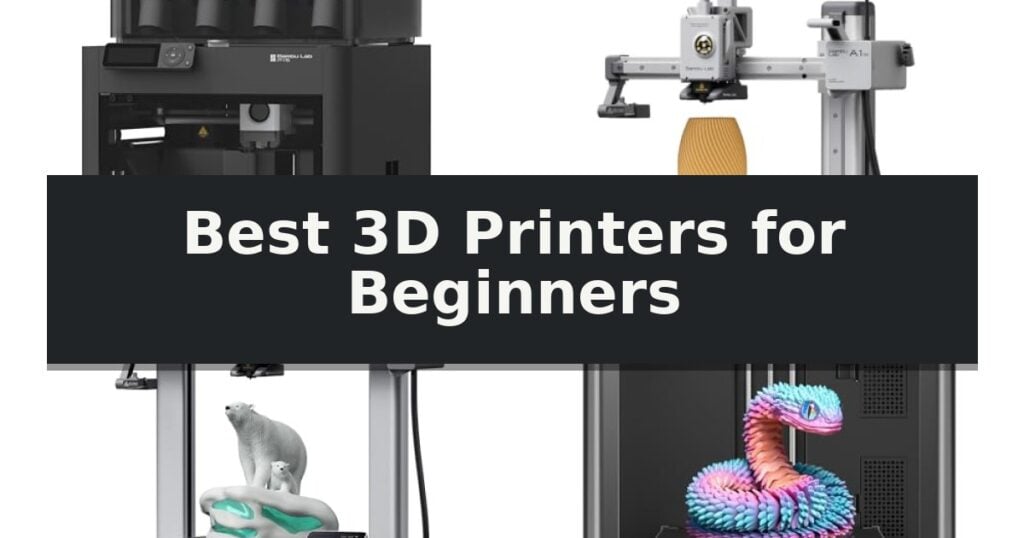
10 Best 3D Printers for Beginners in 2026 Reviews
Quick Comparison
| Product | Best For | Key Strength | Score |
|---|---|---|---|
| Bambu Lab P1S Combo 3D Printer | Best Overall | Multi-color printing capability with the included AMS unit. | 4.9 |
| Bambu Lab A1 mini 3D Printer | Compact Ecosystem for Beginners | Full-auto calibration simplifies the initial setup process. | 4.6 |
| Bambu Lab A1 3D Printer | Seamless Automated Calibration | Full-Auto Calibration eliminates manual bed-leveling and Z-offset adjustments. | 4.6 |
| Flashforge Adventurer 5M 3D Printer | High-Speed CoreXY Performance | Fully automatic bed leveling for consistent first-layer quality. | 4.7 |
| Creality Ender 3 V3 SE 3D Printer | Reliable Entry-Level Workhorse | CR Touch Auto Leveling for simplified setup | 4.7 |
| ELEGOO Centauri 2 3D Printer | Fast and Intuitive Operation | Full automatic calibration removes the need for manual bed leveling. | 4.3 |
| Entina Tina2C 3D Printer | Best for Kids and STEM | Fully assembled design allows for a 5-minute setup time. | 4.8 |
| Entina Tina2 Plus 3D Printer | Fast Printing Mini Desktop | Fully assembled out of the box for immediate use. | 4.4 |
| AOSEED X-MAKER JOY AI+ 3D Printer | AI-Powered Creative Learning | AI-powered design tools simplify model creation for children. | 4.9 |
| Generic Portable 3D Printer | Ultra-Compact Space Saver | Foolproof setup supported by step-by-step video tutorials. | 4.9 |
How We Chose
When evaluating the best 3D printers for beginners, we focus on features that remove common technical barriers. An experienced reviewer looks for machines that prioritize out-of-the-box functionality, such as automated leveling and pre-configured software, ensuring that users can focus on creative projects rather than mechanical troubleshooting or complex calibration routines.
- Ease of assembly and initial setup time
- Reliability of automatic bed leveling and calibration systems
- Compatibility with user-friendly slicing software and model libraries
- Safety features for home and classroom environments
- Print speed and material versatility
1 Bambu Lab P1S Combo 3D Printer — Easiest Multi-Color Printing
Stepping into the world of 3D printing requires a machine that balances speed with accessibility, and the Bambu Lab P1S Combo 3D Printer addresses this by offering a fully enclosed design right out of the box. This enclosure is a significant advantage for those looking to experiment with advanced filaments, as it maintains the stable environment necessary for consistent results.
Performance is a core focus of this model, featuring true high-speed printing capabilities that reach up to 500mm/s with 20000 mm/s² acceleration. This allows users to complete complex projects in a fraction of the time typically required by standard desktop printers. The CoreXY motion system ensures that this speed does not come at the expense of precision, keeping your prints sharp and accurate.
For those who want to explore creative possibilities, the Bambu Lab P1S Combo 3D Printer supports multi-color and multi-material printing when paired with the included AMS unit. This system allows for up to 16 colors in a single print, enabling vibrant, multi-part designs that would otherwise require manual filament swaps or post-processing assembly.
Usability is prioritized through automatic bed leveling and a streamlined setup process that can be completed in approximately 15 minutes. This reduces the technical barrier for newcomers, allowing them to focus on the MakerWorld model library rather than troubleshooting hardware calibration. It is a robust, ready-to-use solution for those who want to start printing high-quality parts immediately.
Best for: Beginners who want a fast, enclosed, and multi-color capable printer that minimizes manual calibration and setup time.
Skip if: Users who primarily work with carbon or glass fiber reinforced polymers, as these materials are not recommended for this specific model.
- Multi-color printing capability with the included AMS unit.
- High-speed performance with 500mm/s print speeds.
- Fully enclosed design for better compatibility with advanced filaments.
- Automatic bed leveling for hassle-free operation.
- Not recommended for use with carbon or glass fiber reinforced polymers.
2 Bambu Lab A1 mini 3D Printer — Compact Ecosystem for Beginners
Transitioning from digital designs to physical objects requires a reliable foundation, and the Bambu Lab A1 mini 3D Printer is engineered to simplify this process for newcomers. By prioritizing an automated workflow, this machine removes the technical barriers often associated with entry-level additive manufacturing, allowing users to focus on their creative projects rather than manual adjustments.
Central to the user experience is the full-auto calibration system, which handles leveling and offset adjustments without requiring expert intervention. The printer also features active flow rate compensation, ensuring consistent material extrusion for cleaner results. Designed with a focus on a quiet workspace, the unit operates at ≤48 dB, making it suitable for home or studio environments where noise levels are a consideration.
The included LED Lamp Kit serves as a practical introduction to functional printing, enabling users to create custom lighting fixtures directly from the MakerWorld model library. Integration with the Bambu Handy app provides a streamlined interface for managing prints remotely, while the compact footprint ensures the device fits easily into most workspaces without demanding excessive room.
While the Bambu Lab A1 mini 3D Printer excels at ease of use, its compact design is tailored for smaller-scale projects. Those looking to produce large-format items or industrial-grade components may find the build volume limiting compared to larger, more complex systems. However, for everyday creativity and learning the fundamentals, it offers a balanced, ready-to-use solution.
Best for: Beginners seeking a streamlined, plug-and-play 3D printing experience with access to a pre-configured model ecosystem.
Skip if: Users who require a large build volume for printing substantial, full-scale functional parts or complex industrial prototypes.
- Full-auto calibration simplifies the initial setup process.
- Integrated MakerWorld model library provides immediate access to printable designs.
- Quiet operation at ≤48 dB is ideal for home or office use.
- Includes a dedicated LED Lamp Kit for immediate creative projects.
- Compact build volume limits the size of individual print projects.
3 Bambu Lab A1 3D Printer — Seamless Automated Calibration
Transitioning into 3D printing often involves navigating complex setup procedures, but the Bambu Lab A1 3D Printer simplifies this entry point with Full-Auto Calibration. By automating Z-offset and bed-leveling processes, this machine removes the manual guesswork typically associated with initial setup, allowing users to focus on the printing process rather than mechanical tuning.
Engineered for both speed and consistency, the Bambu Lab A1 3D Printer features an impressive acceleration of 10,000 mm/s². To maintain print quality at these high speeds, the device utilizes Active Flow Rate Compensation, an algorithm that adjusts extrusion in real-time to ensure smooth, accurate layers. This technical foundation supports high-detail output without requiring constant manual intervention.
The printer is designed to integrate into home environments through its ≤48 dB quiet operation, achieved via active motor noise canceling. Usability is further enhanced by a simplified touchscreen interface and a 1-Clip quick swap nozzle system, which streamlines routine maintenance. These design choices prioritize a user-friendly experience for beginners and younger users alike.
For those interested in expanding their creative capabilities, the Bambu Lab A1 3D Printer supports multi-color printing through the AMS lite system. While this accessory is sold separately or as part of a combo, it enables the printer to handle vibrant, multi-material designs, providing a clear upgrade path for users as their skills develop within the MakerWorld Model Library ecosystem.
Best for: Beginners seeking a low-maintenance, automated 3D printing experience with an integrated ecosystem.
Skip if: Users who require a standalone unit without the need for external accessories like the AMS lite for multi-color functionality.
- Full-Auto Calibration eliminates manual bed-leveling and Z-offset adjustments.
- Active Flow Rate Compensation ensures consistent extrusion quality.
- Quiet operation at ≤48 dB suitable for home or classroom settings.
- 1-Clip quick swap nozzle allows for convenient and fast maintenance.
- AMS lite required for multi-color printing capabilities.
- Separate purchase of AMS lite is necessary if not bought as a combo.
4 Flashforge Adventurer 5M 3D Printer — High-Speed CoreXY Performance
The FLASHFORGE Adventurer 5M 3D Printer simplifies the entry into additive manufacturing by utilizing a CoreXY all-metal structure that enables high-speed printing up to 600mm/s. This machine is engineered for users who prioritize efficiency, featuring fully automatic bed leveling that eliminates the need for manual calibration to ensure consistent first-layer adhesion.
Performance is driven by a 280°C direct drive extruder paired with a high-flow 32mm³/s nozzle, allowing for rapid heating to 200°C in just 35 seconds. The system includes vibration compensation to maintain print quality during high-speed operations, while the dual-sided PEI platform is designed for straightforward model removal.
For added convenience, the printer supports 3-second nozzle changes and offers modularity with optional nozzle sizes ranging from 0.25mm to 0.8mm. Users can manage their workflow through real-time app monitoring via the Flash Studio, which provides remote status alerts and setting adjustments for a streamlined experience.
While the printer offers significant speed and automated features, it is important to note its fixed build volume of 220x220x220mm. This compact footprint is ideal for desktop placement but may limit the scale of larger, single-piece projects.
Best for: Beginners seeking a high-speed, low-maintenance 3D printer with automated setup features.
Skip if: Users who require a large build volume for printing oversized parts in a single session.
- Fully automatic bed leveling for consistent first-layer quality.
- 600mm/s high-speed printing capability for rapid prototyping.
- 3-second nozzle changes for easy maintenance and versatility.
- Remote app monitoring for convenient project management.
- Fixed 220x220x220mm build volume limits the size of individual prints.
5 Creality Ender 3 V3 SE 3D Printer — Reliable Entry-Level Workhorse
The Creality Ender 3 V3 SE 3D Printer streamlines the entry into additive manufacturing by integrating CR Touch Auto Leveling and automatic Z-offset calibration, which significantly simplifies the initial setup process for newcomers. By removing the need for manual bed leveling, this machine helps users achieve a reliable first layer with minimal intervention.
Engineered for efficiency, the printer supports 250mm/s high-speed printing with 2500mm/s² acceleration, allowing for faster project completion. The inclusion of the Sprite Direct Drive Extruder ensures consistent filament feeding across various materials, including PLA, PETG, and TPU, providing versatility for diverse everyday printing tasks.
Structural stability is maintained through dual synchronized Z-axis lead screws and precision Y-axis linear shafts, which work in tandem to minimize vibration and Z-wobble. This design choice supports accurate layer alignment, contributing to consistent print quality even during extended operations.
User comfort and convenience are prioritized through a 32-bit silent mainboard that reduces operational noise. Additionally, the flexible PC spring steel build plate allows for effortless model removal, ensuring that finished parts can be detached quickly without the need for excessive force or specialized tools.
Best for: Beginners seeking a fast, reliable, and easy-to-assemble 3D printer that minimizes manual calibration requirements.
Skip if: Users requiring a larger build volume or advanced features like multi-material extrusion, as this model is optimized for compact, entry-level projects.
- CR Touch Auto Leveling for simplified setup
- 250mm/s high-speed printing capability
- Sprite Direct Drive Extruder for consistent material compatibility
- 32-bit silent mainboard for quiet operation
- Compact build volume may limit larger project sizes
6 ELEGOO Centauri 2 3D Printer — Fast and Intuitive Operation
The ELEGOO Centauri 2 3D Printer streamlines the additive manufacturing process for newcomers by integrating full automatic calibration and smart pre-print checks. These features eliminate manual bed leveling and initial setup hurdles, allowing users to move directly from unboxing to their first print job without complex configuration.
Engineered for high-speed output, this machine utilizes a CoreXY system capable of reaching speeds up to 500 mm/s and 20,000 mm/s² acceleration. The rigid aluminum frame provides the necessary stability to maintain print quality during these rapid movements, while vibration compensation and precise extrusion control work to minimize artifacts on the finished model.
The printer is equipped with a 350°C high-temp nozzle, expanding the range of compatible materials beyond standard filaments. Operation is managed through a 5-inch touchscreen, which serves as the central interface for the printer's various intelligent functions and maintenance prompts.
Maintenance is simplified through design choices such as a magnetic printhead cover, a semi-automatic belt tensioner, and an integrated nozzle wiper. These components are intended to keep the printer operational with minimal downtime, while the ELEGOO Matrix app and ElegooSlicer software provide a connected workflow for remote monitoring and file preparation.
Best for: Beginners who prioritize fast print speeds and automated setup features over manual configuration.
Skip if: Users who require a larger build volume than the 256x256x256mm capacity or those who prefer a non-enclosed printer design.
- Full automatic calibration removes the need for manual bed leveling.
- High-speed performance with 500 mm/s printing capability.
- 350°C high-temp nozzle supports a wide variety of filament types.
- Integrated 5-inch touchscreen for intuitive control.
- Fixed build volume of 256x256x256mm may limit larger projects.
7 Entina Tina2C 3D Printer — Best for Kids and STEM
Getting started with 3D printing often involves complex assembly and steep learning curves, but the Entina Tina2C 3D Printer removes these barriers with a fully assembled, plug-and-play design. By arriving with factory presets and integrated auto-leveling, this machine allows users to initiate their first print in as little as 5 minutes, making it a practical entry point for beginners and STEM-focused households.
The printer prioritizes accessibility through the Poloprint Cloud app, which provides access to over 3,500 ready-to-print models and 25 DIY projects. Users can manage their workflow wirelessly via 2.4GHz WiFi or utilize offline printing with a TF card. The app also features AI-powered tools like text-to-3D and photo-to-3D, which simplify the creation process for those without prior 3D modeling experience.
Designed for home and classroom environments, the unit features quiet operation and a compact footprint. It includes a flexible magnetic print bed that simplifies the removal of finished projects, and a quick-swap nozzle system that reduces maintenance complexity. For added reliability, the printer is equipped with power-loss recovery, ensuring that prints can resume after unexpected interruptions.
While the 3.9 x 3.9 x 3.9-inch build volume is tailored for smaller creative projects and educational activities, the machine maintains compatibility with standard slicing software like Cura and Simplify3D. This flexibility ensures that as users gain experience, they can transition to more advanced custom designs while continuing to utilize the hardware's core features.
Best for: Beginners, students, and families looking for a compact, easy-to-use 3D printer for STEM projects and small creative tasks.
Skip if: Users who require a large build volume for printing substantial mechanical parts or full-scale prototypes will find the 3.9-inch cubic capacity too limiting.
- Fully assembled design allows for a 5-minute setup time.
- Auto-leveling technology improves first-layer adhesion and ease of use.
- WiFi connectivity and app-based control provide a modern, user-friendly interface.
- Flexible magnetic print bed makes removing finished models simple and safe.
- Power-loss recovery protects progress during unexpected power interruptions.
- Limited build volume of 3.9 x 3.9 x 3.9 inches restricts the size of individual prints.
- Small form factor is optimized for hobbyist projects rather than large-scale manufacturing.
8 Entina Tina2 Plus 3D Printer — Fast Printing Mini Desktop
The Entina Tina2 Plus 3D Printer eliminates the typical barrier to entry for new users by arriving fully assembled and ready for immediate operation. Designed for those who want to begin creating without the complexity of manual calibration, this compact machine includes a preloaded TF card to facilitate printing within minutes of unboxing.
Engineered for efficiency, the printer features a 40-second fast heat ceramic hotend that minimizes downtime between projects. It supports high-speed printing up to 250mm/s, allowing for rapid project turnaround. The inclusion of a PEI spring steel build plate and a dual Z-axis structure provides a stable foundation for consistent output, while the partially enclosed frame enhances safety by isolating moving components.
Connectivity is a central focus, with WiFi and app control powered by the Poloprint Cloud. This interface grants users access to a library of over 3,500 printable models and 25 creative DIY modules, making it a versatile tool for STEM learning and classroom environments. The printer is compatible with Windows, macOS, Linux, and Chromebook, ensuring broad accessibility for various computing setups.
Despite its small footprint, the Entina Tina2 Plus 3D Printer maintains a practical capacity suitable for home and school workspaces. Its quick-swap nozzle design simplifies long-term maintenance, ensuring the machine remains functional for continuous creative exploration without requiring advanced technical knowledge.
Best for: Beginners, students, and educators seeking a compact, pre-assembled 3D printer with integrated cloud-based model libraries.
Skip if: Users requiring a large build volume for industrial-scale projects or those who prefer a fully open-frame design for specific mechanical modifications.
- Fully assembled out of the box for immediate use.
- Supports fast 250mm/s printing to reduce project wait times.
- Includes WiFi and app control with access to a large model library.
- Auto-leveling and dual Z-axis for improved print stability.
- Compact footprint may limit the size of individual print projects.
- Partially enclosed frame restricts access compared to fully open-frame models.
9 AOSEED X-MAKER JOY AI+ 3D Printer — AI-Powered Creative Learning
Bringing a digital workshop into the home, the AOSEED X-MAKER JOY AI+ 3D Printer simplifies the creative process for young users by integrating AI-powered design tools that allow children to generate custom 3D models from voice, text, or image prompts. This enclosed, kid-friendly unit removes common barriers to entry, such as complex manual leveling, by utilizing a leveling-free platform that ensures a consistent foundation for every project.
Performance is driven by a high-speed core capable of reaching peaks of 400mm/s, allowing small toy projects to be completed in as little as 20 minutes. The printer maintains a precision of 0.05 mm and includes smart features like filament runout detection to prevent failed prints, while a built-in camera enables real-time monitoring and the automatic creation of time-lapse videos for sharing.
Safety and ease of use remain central to its design, featuring an enclosed, pinch-resistant chassis and quiet operation suitable for home or school environments. The included TÜV Rheinland ISO 16000-tested PLA provides peace of mind for parents, and the comprehensive starter kit includes eight spools of filament, magnetic build plates, and essential tools to ensure the printer is ready to use right out of the box.
While the device offers extensive creative freedom through its app and over 20,000 pre-tested models, it is important to note that this is a single-color printing system. Users interested in multi-color creations can achieve this by printing separate parts and assembling them, which serves as a practical introduction to modular design and engineering concepts.
Best for: Families and educators seeking a safe, easy-to-use, and fast 3D printing solution for children to explore STEM and creative design.
Skip if: Users who require native multi-color printing capabilities or large-format build volumes will find this compact, single-extruder model limiting.
- AI-powered design tools simplify model creation for children.
- Fast printing speeds up to 400mm/s reduce wait times.
- Leveling-free platform and enclosed design enhance safety and ease of use.
- Comprehensive starter kit includes 8 spools of filament and essential tools.
- Single-color printing only, requiring manual assembly for multi-color designs.
- Compact build volume limits the size of individual prints.
10 Generic Portable 3D Printer — Ultra-Compact Space Saver
Entering the world of additive manufacturing requires a machine that prioritizes accessibility without sacrificing core functionality. The Generic Portable 3D Printer distinguishes itself with a modular, compact design that measures just 8.3 inches in height, making it a practical choice for those with limited desk space or classroom environments.
Designed specifically for ease of use, this FDM 3D printer simplifies the initial learning curve through a foolproof setup process. Users are supported by comprehensive online video tutorials that guide the assembly, bed leveling, and filament loading stages. This focus on instructional support ensures that beginners can move from unboxing to their first print in a matter of minutes.
Despite its small footprint and 100x100x100mm build volume, the unit offers versatile material compatibility, supporting both PLA and flexible TPU filaments. The inclusion of a 0.4mm nozzle allows for precise layer thicknesses between 0.05mm and 0.3mm, providing the necessary detail for small-scale projects like hobbyist models or home decor items.
The printer arrives as a complete, ready-to-use package, eliminating the need for additional component purchases. It includes a removable build plate to facilitate easier model removal, a 12V Type-C power adapter, and an 8GB TF card for file storage. With its stable performance and included toolkit, this machine provides a straightforward entry point for students and hobbyists exploring STEM learning.
Best for: Beginners, students, and hobbyists with limited workspace who need an easy-to-assemble, compact printer for small-scale projects.
Skip if: Users who require a large build volume for printing substantial parts or those seeking advanced features like auto-leveling or high-speed printing capabilities.
- Foolproof setup supported by step-by-step video tutorials.
- Compact, space-saving design ideal for small desks or classrooms.
- Versatile compatibility with both PLA and flexible TPU filaments.
- Complete starter kit includes all necessary tools and a removable build plate.
- Limited 100x100x100mm build volume restricts the size of individual prints.
- Modular assembly required before the unit is operational.
Best 3D Printers for Beginners Buying Guide
Automated Calibration Systems
Modern entry-level printers have largely moved away from manual leveling, which was once the most common source of frustration. Systems like CR Touch or full-auto calibration ensure the print head maintains the correct distance from the build plate, which is essential for a successful first layer.
Choosing a model with active Z-offset calibration saves significant time and reduces the likelihood of print failure. This automation allows beginners to start printing immediately without needing to master the nuances of manual bed tramming.
Build Volume and Footprint
The physical size of a printer dictates where it can be placed and what it can create. Compact machines are ideal for desks or small hobby spaces, though they limit the maximum dimensions of your projects.
Larger build volumes offer more creative freedom but require more stable surfaces and dedicated space. Consider the scale of the items you intend to print before selecting a machine based solely on its footprint.
Enclosed vs. Open-Frame Designs
Enclosed printers provide a stable internal temperature, which is critical when working with advanced materials that are prone to warping. This design also adds a layer of safety by keeping moving parts and hot components contained.
Open-frame printers are generally easier to maintain and offer better visibility during the printing process. They are often more affordable and sufficient for standard materials like PLA, making them a common choice for initial learning.
Software and Ecosystem Integration
A printer is only as good as the software that controls it. Many manufacturers now provide integrated ecosystems that include mobile apps and cloud-based model libraries, allowing users to find and send designs to the printer with a single tap.
Compatibility with standard slicing software like Cura or proprietary manufacturer slicers is vital. Look for platforms that offer guided setups and pre-set profiles, as these significantly reduce the learning curve for new makers.
Filament Compatibility and Maintenance
Most beginner printers are optimized for PLA, which is the easiest material to print due to its low melting point and minimal odor. As you progress, you may want to explore PETG or TPU, which require different temperature settings and extruder capabilities.
Maintenance should be straightforward, with features like quick-swap nozzles and magnetic build plates. These components are wear items, and the ability to replace them without specialized tools ensures the printer remains operational over the long term.
Frequently Asked Questions
Do I need to know how to design 3D models to use these printers?
No, you do not need to design your own models. Most of these printers provide access to vast online libraries where you can download pre-made files ready for printing.
What is the difference between PLA and other filaments?
PLA is the most common beginner filament because it is easy to print, biodegradable, and does not require a heated enclosure. Other materials like ABS or PETG are stronger but often require more specific temperature controls.
How often do I need to level the print bed?
With modern printers featuring automatic bed leveling, you rarely need to perform manual adjustments. The printer typically handles this process before every print job to ensure accuracy.
Are these printers safe for use in a bedroom or office?
While many printers are quiet and compact, it is recommended to operate them in a well-ventilated area. Enclosed models help contain small particles and provide a physical barrier to hot components.
Can I print in multiple colors?
Some advanced models support multi-color printing through specialized hardware like an AMS (Automatic Material System). Standard printers typically print in one color at a time unless you manually swap the filament.
Conclusion: Our Top Pick
Our top pick is Bambu Lab P1S Combo 3D Printer. Selecting the right 3D printer for a beginner depends on your specific goals, whether you are looking for a compact desktop unit or a high-speed machine capable of multi-color output. Prioritizing models with robust automated features will ensure a smoother experience as you learn the fundamentals of additive manufacturing.
By focusing on reliable calibration, intuitive software, and a supportive ecosystem, you can avoid the common pitfalls that discourage new makers. Evaluate your available space and the types of projects you envision to find the best fit for your creative journey.