ELEGOO Mars 5 Ultra Resin Printer is our top choice for the Best Resin 3D Printers for Beginners, offering a combination of high-resolution 9K output and advanced AI-assisted error detection that simplifies the learning curve. For those prioritizing a straightforward, out-of-the-box experience, the ELEGOO Mars 5 Resin Printer provides reliable automated leveling, while the ANYCUBIC Photon Mono 4 serves as a strong alternative for users who prefer a stable four-point manual leveling system.
Resin printing requires a different approach than standard filament-based machines, primarily due to the liquid nature of the material and the necessary post-processing steps. Beginners should focus on machines that minimize the complexity of the initial setup, as proper bed leveling and resin management are the most frequent hurdles for new users.
When evaluating these printers, we look for features that reduce manual intervention, such as automatic leveling sensors and intelligent detection systems that prevent failed prints. These technologies help bridge the gap between hobbyist-grade hardware and the precision required for high-detail miniatures or intricate prototypes.
If you are still exploring the broader landscape of additive manufacturing, our guide on the Best 3D Printer for Beginners can help you decide if resin or filament technology is the better fit for your specific projects.
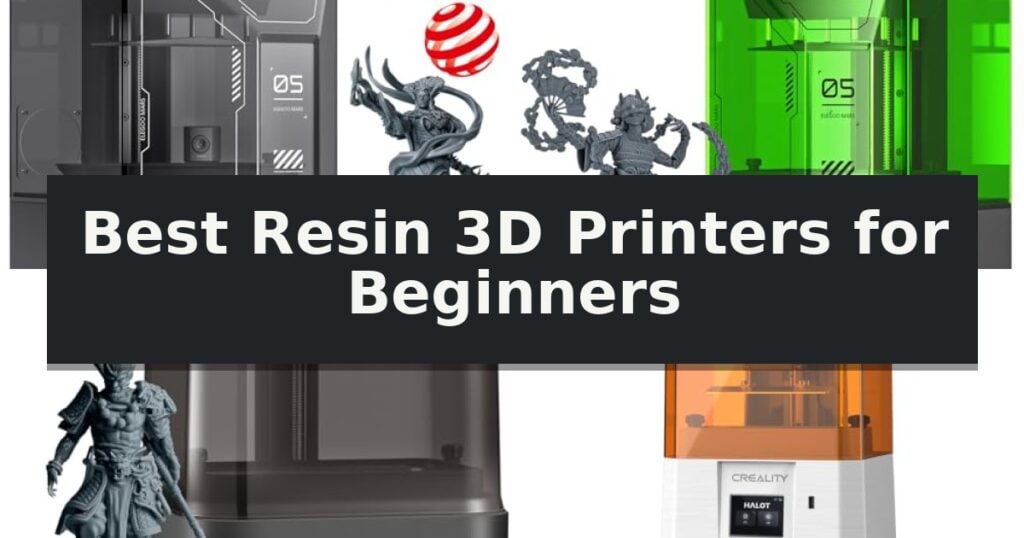
7 Best Resin 3D Printers for Beginners in 2026 Reviews
Quick Comparison
| Product | Best For | Key Strength | Score |
|---|---|---|---|
| ELEGOO Mars 5 Ultra Resin Printer | Best Overall | 9K ultra-high resolution for intricate detail reproduction. | 4.9 |
| ELEGOO Mars 5 Resin Printer | Reliable automated leveling for novices | Intelligent Automatic Leveling removes the need for manual calibration. | 4.4 |
| ANYCUBIC Photon Mono 4 Resin Printer | Simple four-point leveling system | 4-point leveling system for simplified setup | 4.3 |
| Creality HALOT-X1 Neo Resin Printer | Plug-and-play factory pre-leveled build | Factory pre-leveled build platform for immediate setup | 4.8 |
| Uniformation GK3T Resin Printer | Smart heating for stable printing | 16K ultra-high resolution for exceptional detail. | 4.3 |
| MALYAN S100 Mini Resin Printer | Compact entry-level printing | Auto-leveling functionality simplifies the initial setup. | 4.7 |
| ELEGOO Saturn 3 Resin Printer | Large volume for ambitious projects | 12K resolution for high-detail model production. | 4.3 |
How We Chose
To determine the best resin 3D printers for beginners, we evaluate machines based on their ability to streamline the transition from digital files to physical objects. We prioritize models that incorporate automated leveling and intelligent monitoring, as these features significantly reduce the technical barriers typically associated with high-resolution resin printing.
- Resolution and XY precision for model detail
- Ease of leveling and build plate calibration
- Print speed and release technology efficiency
- Smart sensors for resin and print failure detection
- Software compatibility and connectivity options
1 ELEGOO Mars 5 Ultra Resin Printer — Smart leveling for effortless starts
Stepping into the world of high-resolution additive manufacturing, the ELEGOO Mars 5 Ultra Resin 3D Printer distinguishes itself with a 7-inch 9K mono LCD that achieves an 18 μm XY resolution. This level of detail is designed to capture intricate textures and complex geometries, making it a compelling entry point for those prioritizing print fidelity.
Beyond its visual output, the printer integrates a tilt release technology that enables speeds up to 150 mm/h. This mechanism facilitates a smoother peeling process from the release film, allowing users to toggle between fast and slow print modes based on the requirements of their specific project.
Usability is enhanced through an onboard AI camera, which monitors the build plate to detect potential errors or warps in real-time. This system is complemented by a smart mechanical sensor that identifies resin residue, helping to protect the LCD screen from damage and reducing the likelihood of failed prints due to leveling issues.
For users looking to scale their production, the device supports Wi-Fi cluster printing. This feature allows for the synchronized control of multiple units from a single interface, streamlining the workflow for ambitious projects that require simultaneous output.
Best for: Beginners who prioritize high-resolution detail and integrated error-detection features for a more reliable printing experience.
Skip if: Users requiring a larger build volume than the 6.04 x 3.06 x 6.49 inch capacity provided by this compact desktop model.
- 9K ultra-high resolution for intricate detail reproduction.
- Tilt release technology enabling print speeds up to 150 mm/h.
- AI camera monitoring to detect errors and prevent failed prints.
- Smart mechanical sensors for residue detection and leveling alerts.
- Limited build volume compared to larger format resin printers.
- AI detection accuracy may vary depending on the specific resin type and environment.
2 ELEGOO Mars 5 Resin Printer — Reliable automated leveling for novices
Stepping into the world of resin printing often involves a steep learning curve, but the ELEGOO Mars 5 Resin Printer simplifies the entry process with its Intelligent Automatic Leveling system. By utilizing a built-in sensor and spring mechanism, this unit eliminates the manual calibration steps that frequently frustrate newcomers, allowing for a near plug-and-play experience right out of the box.
The printer is built around a 6.6-inch 4K monochrome LCD screen, which provides a sharp 35×35μm XY resolution. This high level of detail is supported by a COB light source that achieves 92% light uniformity, ensuring that your models feature smooth surfaces and consistent curing. To maintain precision during longer print sessions, the machine incorporates a robust cooling system featuring large fans and copper tubes to manage internal temperatures effectively.
Reliability is further enhanced by an Intelligent Mechanical Sensor. This safety feature actively monitors the printing environment to detect common issues such as low resin levels, the presence of foreign objects, or potential overheating. By providing these automated checks, the printer helps prevent failed prints and protects the integrity of the FEP release film and LCD screen.
Designed with the user in mind, the ELEGOO Mars 5 Resin Printer includes several practical upgrades. The build plate features a laser-engraved surface for superior adhesion, while the one-touch locking mechanism makes securing the platform effortless. Maintenance is also streamlined through features like dual chute pouring spouts and a replaceable tank lock, making the cleanup process significantly less messy for those new to the hobby.
Best for: Beginners who prioritize automated setup and safety monitoring to minimize the complexity of the resin printing process.
Skip if: Users who require a larger build volume for industrial-scale projects or those who prefer a non-resin based printing technology.
- Intelligent Automatic Leveling removes the need for manual calibration.
- Smart Mechanical Sensor detects potential print failures and safety issues.
- High-precision COB light source ensures 92% light uniformity for detailed models.
- User-friendly design includes one-touch locking and easy-pour spouts.
- Limited build volume compared to larger format resin printers.
- Resin printing requires dedicated ventilation and post-processing equipment not included.
3 ANYCUBIC Photon Mono 4 Resin Printer — Simple four-point leveling system
The ANYCUBIC Photon Mono 4 Resin Printer simplifies the entry into high-resolution 3D printing with its 4-point leveling method, which requires only an initial setup to maintain consistent alignment. This design choice removes the repetitive calibration steps often required for beginners, allowing users to focus on model creation rather than machine maintenance.
Equipped with a 7-inch 10K resolution LCD screen, the printer achieves a pixel size of 17×17μm, providing a significant increase in detail compared to previous iterations. The LighTurbo matrix light source ensures uniform illumination across the build area, which helps in reducing layer lines and improving the surface finish of printed parts.
The machine features a laser-engraved print platform 2.0, engineered to enhance model adhesion and prevent common issues like lifting or warping during the curing process. With a build volume of 6.04'' x 3.42'' x 6.49'', it offers sufficient space for a variety of small-to-medium-scale projects, while the power-loss resume function protects ongoing prints from unexpected interruptions.
While this model is tailored for ease of use, it is important to note that the Anycubic APP service is not supported on this specific unit. Users should rely on standard file preparation workflows, as the printer is designed for straightforward, manual operation without cloud-based connectivity features.
Best for: Beginners seeking a high-resolution resin printer with a simplified, stable leveling system.
Skip if: Users who require cloud-based app integration or remote monitoring capabilities for their 3D printing workflow.
- 4-point leveling system for simplified setup
- 10K high-resolution LCD for detailed prints
- Laser-engraved platform to improve adhesion
- Power-loss resume functionality
- No Anycubic APP support
- Manual workflow required without cloud features
4 Creality HALOT-X1 Neo Resin Printer — Plug-and-play factory pre-leveled build
The Creality HALOT-X1 Neo Resin 3D Printer simplifies the transition into high-precision additive manufacturing by featuring a factory pre-leveled build platform, allowing users to begin printing immediately after unboxing. This design choice removes the common initial hurdle of manual calibration, making it a practical entry point for those new to resin-based workflows.
Equipped with a 6.8-inch 9K LCD, the printer achieves a resolution of 8520 × 4320 and an ultra-fine 18μm XY pixel size. These specifications are engineered to capture intricate details, which is particularly beneficial for creators focusing on miniatures, figurines, and complex tabletop models. The system supports a layer thickness range of 0.01–0.2 mm, providing flexibility for varying levels of detail and print speed requirements.
Beyond hardware, the unit integrates AI-powered 2D-to-3D model generation via FanForge, which can convert images into printable 3D files in as little as 3.5 hours. Connectivity is managed through 2.4GHz WiFi, USB, or the Creality Cloud, ensuring a versatile file transfer process. The printer maintains compatibility with common slicing software including HALOT BOX, CHITUBOX, and Lychee Slicer, supporting a flexible workflow for desktop makers.
With a compact build volume of 153.36 × 77.76 × 160 mm, the Creality HALOT-X1 Neo Resin 3D Printer is optimized for small-scale production environments. Its design prioritizes accessibility through integrated tutorials accessible via QR code, helping beginners navigate the basics of resin handling and post-processing.
Best for: Beginners and desktop hobbyists who prioritize high-resolution output for miniatures and figurines with minimal setup time.
Skip if: Users requiring a large-format build volume for industrial-sized parts or those who prefer FDM printing technology for structural, non-miniature applications.
- Factory pre-leveled build platform for immediate setup
- 9K ultra-high resolution for fine detail reproduction
- AI-powered 2D-to-3D model generation
- Flexible connectivity including WiFi and USB
- Compact build volume limits the size of individual prints
- Resin printing workflow requires additional post-processing equipment
5 Uniformation GK3T Resin Printer — Smart heating for stable printing
Achieving professional-grade detail in home-based 3D printing often requires navigating complex leveling and temperature variables, but the Uniformation GK3T Resin Printer simplifies this with its integrated smart heating system. By maintaining optimal resin fluidity in environments as cold as 0°C/32°F, this machine ensures consistent print quality regardless of ambient temperature fluctuations.
The Uniformation GK3T Resin Printer is built for high-fidelity output, utilizing a 16K resolution LCD screen that achieves an ultra-fine 14×19μm pixel size. This level of precision is designed to capture intricate micro-features on miniatures and complex prototypes, often reducing the need for extensive post-processing by delivering smooth, high-clarity surfaces in a single pass.
Usability is a core focus of this model, which arrives with factory pre-leveling for immediate setup. The hardware includes several efficiency-focused features such as smart resin feeding, an anti-drip build platform, and a 90° rotatable touchscreen. These elements work together to streamline the workflow, while the side-mounted drainage system and quick-release build plate minimize cleanup time.
Connectivity and remote management are handled through a dedicated smartphone app, allowing users to initiate prints, monitor progress in real-time, and capture timelapse photography from anywhere. The system is also designed to integrate into a broader ecosystem, functioning seamlessly with compatible wash and cure stations to provide a cohesive, end-to-end printing experience.
Best for: Beginners and makers who prioritize high-resolution output and require a climate-controlled environment for consistent resin printing.
Skip if: Users who require a larger build volume for industrial-scale parts or those who prefer a manual, non-connected printing workflow.
- 16K ultra-high resolution for exceptional detail.
- Intelligent heating system for reliable performance in cold climates.
- Factory pre-leveling for plug-and-play setup.
- Remote monitoring and control via smartphone app.
- High-resolution hardware may require more sophisticated slicing software management.
- Integrated ecosystem design is optimized for specific compatible wash and cure stations.
6 MALYAN S100 Mini Resin Printer — Compact entry-level printing
Stepping into the world of resin printing requires a machine that simplifies the initial learning curve, and the MALYAN S100 Mini Resin 3D Printer is engineered specifically for this purpose. By integrating auto-leveling technology, this printer removes the manual calibration steps that often frustrate newcomers, allowing for a more straightforward setup process right out of the box.
The device features a 5.5-inch 2K LCD screen with a resolution of 2560×1440, providing the necessary detail for high-precision model reproduction. To ensure consistent output, it utilizes an upgraded 57W parallel LED array light source, which is designed to minimize grid lines and layer artifacts, resulting in a smoother surface finish on printed objects.
Usability is further enhanced by the inclusion of a magnetic build plate, which simplifies the removal of finished prints and streamlines the cleaning workflow. The platform also features a laser-engraved surface to improve model adhesion, reducing the likelihood of warping or detachment during the curing process.
With a compact footprint and a build volume of 115 x 65 x 110 mm, this printer is well-suited for smaller workspaces. While it offers advanced features like automated calibration, users should ensure they are prepared to manage resin handling and post-processing requirements, which are standard for all resin-based printing systems.
Best for: Beginners seeking a compact, automated resin printing solution that minimizes manual calibration and setup complexity.
Skip if: Users who require a large build volume for printing substantial models or those who prefer FDM filament-based printing for its different material properties.
- Auto-leveling functionality simplifies the initial setup.
- Magnetic build plate allows for easy removal and cleaning.
- 57W parallel LED array reduces visible layer lines.
- Laser-engraved platform enhances model adhesion.
- Limited build volume of 115 x 65 x 110 mm restricts the size of print projects.
7 ELEGOO Saturn 3 Resin Printer — Large volume for ambitious projects
Achieving high-resolution detail in resin printing requires precision hardware, and the ELEGOO Saturn 3 Resin Printer addresses this with its 10-inch 12K monochrome LCD. This display offers a resolution of 11520 × 5120, resulting in an XY resolution of 19 × 24 μm, which allows for the production of intricate models at speeds reaching 70 mm/h. To maintain the longevity of this display, the unit features a 9H hardness tempered glass screen protector designed to resist damage from resin spills.
For those looking to scale up their production, the printer provides a generous build volume of 8.62 × 4.84 × 9.84 inches. This space is illuminated by a Fresnel collimating light source, which combines a COB light source with a Fresnel lens to achieve a light uniformity of over 90% and a light-scattering coefficient within 0.5%. This optical configuration ensures consistent light distribution across the entire build area, contributing to higher accuracy in complex prints.
Usability is enhanced through the inclusion of a laser-carved build plate, which is engineered to improve surface adhesion and increase the overall success rate of prints. The system is compatible with the Voxeldance Tango software, which supports three distinct printing modes—static, smooth, and high-speed—to optimize efficiency based on project requirements. Additionally, the printer utilizes the open-source GOO slice format, maintaining compatibility with popular third-party slicers like CHITUBOX and Lychee Slicer.
The ELEGOO Saturn 3 Resin Printer is a robust choice for users who need a balance of large-scale capacity and high-detail output. While it offers advanced optical features and a large build area, users should ensure they have adequate space for the 22.13-inch tall unit and proper ventilation for resin-based printing workflows.
Best for: Users who need a large build volume for ambitious projects without sacrificing fine detail.
Skip if: Users with limited workspace or those who prefer a smaller, more compact footprint for basic hobby printing.
- 12K resolution for high-detail model production.
- Generous build volume for larger projects.
- Fresnel collimating light source for uniform light distribution.
- Laser-carved build plate for improved print adhesion.
- Large physical footprint requires significant desk space.
- High-resolution printing may require longer processing times for complex slice files.
Best Resin 3D Printers for Beginners Buying Guide
Understanding Resin Printing Basics
Resin 3D printing, or MSLA, uses a light source to cure liquid resin layer by layer. Unlike filament printers, these machines excel at producing extremely fine details, making them the preferred choice for tabletop miniatures and jewelry design.
The process involves more post-processing, including washing the print in alcohol and curing it under UV light. Beginners should ensure they have a dedicated, well-ventilated workspace and the necessary safety gear before starting their first print.
The Importance of Automated Leveling
A level build plate is critical for successful adhesion to the platform. Many modern entry-level printers now include automatic or semi-automatic leveling, which uses mechanical sensors to ensure the plate is perfectly parallel to the LCD screen.
For a beginner, choosing a machine with these automated features saves significant time and frustration. It eliminates the need for manual paper-leveling techniques that can be difficult to master during your first few attempts.
Resolution and Print Quality
Resolution is measured by the pixel density of the LCD screen, often cited as 4K, 9K, or 16K. Higher resolution allows for smaller XY pixel sizes, which directly translates to sharper details and smoother surfaces on your finished models.
While higher numbers sound impressive, balance this against your specific needs. If you are printing large, functional parts, extreme resolution may be less important than build volume, but for miniatures, prioritize the smallest XY resolution available.
Connectivity and Workflow
Modern resin printers often include Wi-Fi or network connectivity, allowing you to send files directly from your computer to the printer. This avoids the need to constantly move USB drives back and forth between your workstation and the machine.
Look for printers that support widely used slicing software like CHITUBOX or Lychee. Compatibility with established software ensures you have access to a large community of users who can provide tips and custom print profiles.
Safety and Maintenance
Resin is a chemical that requires careful handling. Always wear nitrile gloves and eye protection when interacting with the liquid resin or the printer's internal components to avoid skin irritation.
Maintenance involves keeping the LCD screen clean and periodically replacing the FEP or PFA release film at the bottom of the resin tank. These films are consumables that will eventually wear out, so check that your chosen model has readily available replacement parts.
Frequently Asked Questions
Do I need a separate wash and cure station?
While not strictly required, a wash and cure station makes the post-processing workflow much cleaner and more efficient than manual cleaning methods.
How long does the resin tank film last?
The lifespan of a release film depends on the number of prints and how often you scrape the tank. With proper care and by avoiding sharp tools, it can last for many successful prints.
Can I use any resin with these printers?
Most resin printers are compatible with standard 405nm UV-curable resins. Always check the manufacturer's recommendations for specific resin types to ensure optimal curing times.
Is resin printing safe for indoor use?
Resin printing should be done in a well-ventilated area, such as a garage or a room with an exhaust system, to manage the fumes produced during the printing process.
What happens if a print fails?
Failed prints often leave cured resin stuck to the bottom of the tank. You must carefully remove this debris before your next print to avoid damaging the LCD screen.
Conclusion: Our Top Pick
Our top pick is ELEGOO Mars 5 Ultra Resin Printer. Selecting the right resin printer for a beginner comes down to balancing ease of use with the level of detail you require. Machines with automated leveling and smart sensors provide the most forgiving entry point into the hobby.
By focusing on reliable hardware and understanding the necessary safety and maintenance protocols, you can achieve professional-quality results from your very first print. Choose the model that best matches your space and project goals.