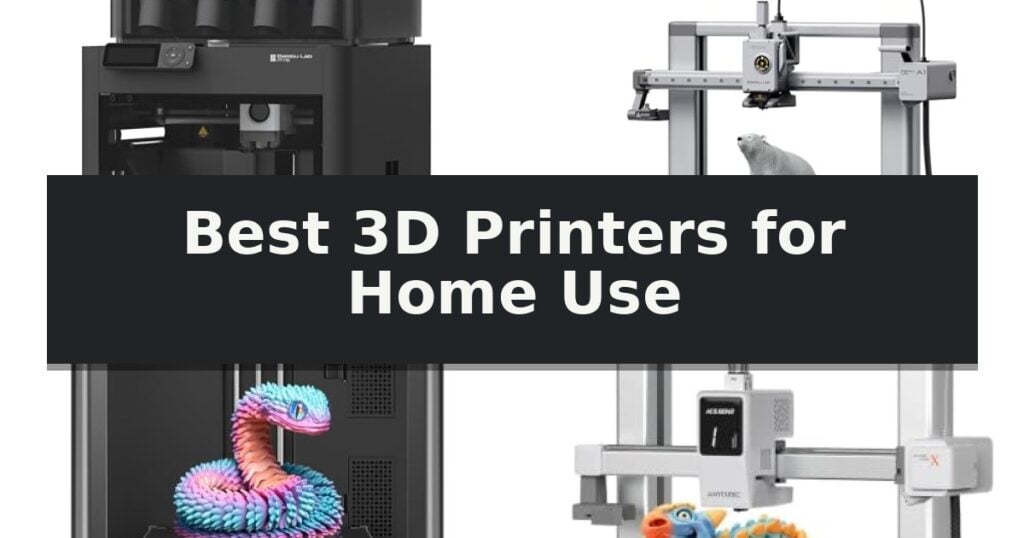
Bambu Lab P1S Combo 3D Printer is our top recommendation for the Best 3D Printers for Home Use thanks to its enclosed design and high-speed performance that simplifies complex, multi-color projects. For those prioritizing a budget-friendly and beginner-focused experience, the Bambu Lab A1 3D Printer offers full-auto calibration, while the Flashforge Adventurer 5M 3D Printer serves makers who require rapid, high-speed output for prototyping.
Selecting a 3D printer for a home environment requires balancing physical footprint with the technical capabilities needed for your specific projects. While high-speed CoreXY systems offer efficiency, they often require more desk space and stable surfaces compared to compact, entry-level models designed for smaller hobbyist setups.
Beyond raw speed, the integration of multi-color systems and automated calibration significantly reduces the manual intervention traditionally associated with 3D printing. Experienced users should consider how these automated workflows impact their ability to experiment with diverse materials and complex multi-part assemblies.
If you are just starting your journey into additive manufacturing, our guide on Best 3D Printers for Beginners provides additional context on selecting a machine that balances ease of use with long-term potential.
9 Best 3D Printers for Home Use in 2026 Reviews
Quick Comparison
| Product | Best For | Key Strength | Score |
|---|---|---|---|
| Bambu Lab P1S Combo 3D Printer | Best Overall | Multi-color printing support for up to 16 colors via the AMS unit. | 4.9 |
| Bambu Lab A1 3D Printer | Easiest Full-Auto Calibration | Full-Auto Calibration eliminates manual bed leveling and Z-offset tuning. | 4.3 |
| Flashforge Adventurer 5M 3D Printer | Fastest High-Speed Printing | 600mm/s high-speed printing capabilities for rapid production. | 4.9 |
| Anycubic Kobra X 3D Printer | Native Multi-Color Capability | Native 4-color printing capability with expansion up to 19 colors. | 4.8 |
| Snapmaker U1 3D Printer | Fastest Tool-Changing System | 5-second automatic tool changing for seamless multi-material printing. | 4.7 |
| Creality SPARKX i7 Combo 3D Printer | Best AI-Powered Modeling | CubeMe AI enables rapid portrait-to-3D model generation. | 4.5 |
| AOSEED X-MAKER JOY AI 3D Printer | Safest for Kids and STEM | AI-powered design tools for voice and image-to-3D model generation. | 4.3 |
| Hephi3d TINA2C 3D Printer | Compact Pick for Beginners | Fully assembled and factory-preset for quick setup. | 4.4 |
| Generic Portable 3D Printer | Best for Small Spaces | Compact footprint ideal for small desks and classrooms. | 4.7 |
How We Chose
When evaluating the best 3D printers for home use, we prioritize machines that balance high-speed performance with reliable, automated workflows. An experienced reviewer focuses on how these printers handle common home limitations, such as noise levels, space constraints, and the need for consistent, high-quality results without constant manual adjustments.
- Print speed and acceleration capabilities for efficient project completion.
- Multi-color and multi-material compatibility for advanced design freedom.
- Automation features including bed leveling and flow rate compensation.
- Physical footprint and enclosure design for home workspace compatibility.
- Ease of assembly and initial setup time for immediate usability.
1 Bambu Lab P1S Combo 3D Printer — Best for Multi-Color Projects
The Bambu Lab P1S Combo 3D Printer is designed to streamline complex fabrication tasks by integrating a multi-color and multi-material printing system directly into its workflow. At the heart of this capability is the included AMS unit, which allows the printer to handle up to 16 colors in a single project. This feature significantly expands creative possibilities for home users who want to produce intricate, multi-hued models without the labor-intensive process of manual filament changes or post-processing assembly.
Engineered for high-throughput environments, the machine utilizes a CoreXY architecture that supports print speeds reaching 500mm/s with an acceleration of 20000 mm/s². This performance is supported by a fully enclosed design, which is critical for maintaining a stable thermal environment. By preventing rapid temperature fluctuations, the enclosure allows for more reliable results when working with advanced filaments like ABS and ASA, which are prone to warping in open-frame printers.
Usability is prioritized through a rapid 15-minute setup process, allowing users to move from unboxing to their first print with minimal friction. The system includes automatic bed leveling, a feature that ensures consistent first-layer adhesion across the entire build plate. By automating this calibration step, the printer reduces the need for manual adjustments, making it accessible for users who want to focus on design rather than machine maintenance.
While the unit is highly capable, it is important to understand its material constraints. It is optimized for standard filaments such as PLA, PETG, and TPU, but it is not recommended for use with carbon or glass fiber reinforced polymers. Weighing approximately 47.52 pounds, the printer offers a sturdy, vibration-resistant footprint that supports its high-speed operations, though users should ensure their workspace can accommodate this substantial weight and the required footprint.
Best for: Makers who prioritize high-speed, multi-color printing capabilities and require an enclosed build chamber for diverse material compatibility.
Skip if: Users who primarily print with carbon or glass fiber reinforced filaments or those requiring a lightweight, ultra-portable 3D printing solution.
- Multi-color printing support for up to 16 colors via the AMS unit.
- High-speed performance with 500mm/s print speed and 20000 mm/s² acceleration.
- Enclosed design optimizes print quality for advanced materials.
- Automatic bed leveling simplifies the calibration process.
- Material limitations regarding carbon or glass fiber reinforced polymers.
- Substantial weight of 47.52 pounds may limit placement flexibility.
2 Bambu Lab A1 3D Printer — Easiest Full-Auto Calibration
Achieving consistent results in desktop manufacturing often hinges on the calibration process, which is where the Bambu Lab A1 3D Printer distinguishes itself. This FDM machine prioritizes user accessibility through Full-Auto Calibration, removing the need for manual Z-offset adjustments or bed-leveling tasks before starting a print.
The printer is engineered for efficiency, featuring an impressive acceleration of 10,000 mm/s² to maintain high-speed precision without sacrificing detail. To ensure print quality remains stable during these rapid movements, the system employs Active Flow Rate Compensation, an algorithm that dynamically adjusts extrusion based on real-time readings to prevent common surface defects.
For those interested in multi-color projects, the Bambu Lab A1 3D Printer supports the AMS lite system, which enables reliable multi-material printing. Maintenance is simplified through a 1-Clip quick swap nozzle design, allowing for fast changes when switching between different material requirements or nozzle sizes.
Designed with a focus on a quiet home environment, the unit incorporates active motor noise canceling to keep operation levels at or below 48 dB. The interface is managed via a simplified touchscreen, making the ecosystem approachable for beginners while providing the technical capability required for detailed, high-speed output.
Best for: Beginners and home users who prioritize automated calibration and quiet operation for multi-color 3D printing projects.
Skip if: Users who require a large build volume or an enclosed chamber for specialized high-temperature engineering filaments.
- Full-Auto Calibration eliminates manual bed leveling and Z-offset tuning.
- Active Flow Rate Compensation ensures consistent extrusion quality.
- Quiet operation with active motor noise canceling (≤48 dB).
- 1-Clip quick swap nozzle simplifies maintenance and nozzle changes.
- AMS lite required for multi-color printing, which must be purchased separately or as part of a combo.
- Open-frame design lacks the thermal stability of enclosed printers for certain advanced materials.
3 Flashforge Adventurer 5M 3D Printer — Fastest High-Speed Printing
The FLASHFORGE Adventurer 5M 3D Printer streamlines the additive manufacturing process with its one-click automatic bed leveling system, which eliminates the need for manual calibration to ensure consistent first-layer adhesion. Designed for efficiency, this unit features a robust CoreXY all-metal structure capable of reaching travel speeds up to 600mm/s and accelerations of 20000mm/s², significantly reducing production cycles for rapid prototyping.
Engineered for high-speed performance, the printer includes a 280°C direct drive extruder paired with a high-flow 32mm³/s nozzle. The system supports rapid heat-up times, reaching 200°C in approximately 35 seconds. Users can perform maintenance quickly thanks to the 3S detachable nozzle design, which allows for tool-free swaps in seconds.
The printer offers versatility through its dual-sided PEI platform and compatibility with various nozzle sizes ranging from 0.25mm to 0.8mm. To maintain print quality at high speeds, the device incorporates vibration compensation and a dual-fan cooling system. Remote management is facilitated through the Flash Studio app, providing real-time progress monitoring and setting adjustments.
With a build volume of 220x220x220mm, this machine balances a compact footprint with sufficient capacity for most home projects. Its integration of smart features and structural rigidity makes it a capable tool for those prioritizing speed and ease of use in their desktop fabrication workflow.
Best for: Makers who prioritize rapid print speeds and automated setup for home-based prototyping.
Skip if: Users requiring a larger build volume than 220x220x220mm or those who prefer a fully enclosed chamber for specialized high-temperature filaments.
- 600mm/s high-speed printing capabilities for rapid production.
- Automatic bed leveling for consistent, hassle-free first layers.
- 3S detachable nozzle system allows for quick and easy maintenance.
- CoreXY all-metal structure provides stability during high-speed operation.
- Remote monitoring via app for convenient project management.
- Fixed build volume of 220x220x220mm may limit larger-scale projects.
- Open-frame design may not be ideal for all advanced material types.
4 Anycubic Kobra X 3D Printer — Native Multi-Color Capability
The Anycubic Kobra X 3D Printer introduces a native multi-color printing ecosystem designed for home users who want to move beyond single-material limitations. By integrating four colors directly into the machine, it allows for complex, vibrant prints without the manual intervention typically required for color changes.
Engineered for high-speed production, this unit achieves a maximum print speed of 600mm/s, significantly reducing wait times for large or intricate projects. The system utilizes a hardened steel nozzle and built-in vibration compensation to maintain surface quality even at these elevated speeds, ensuring that structural integrity remains consistent across various filament types.
Usability is a core focus, highlighted by the LeviQ 3.0 auto bed leveling system. This feature performs a 49-point calibration to guarantee bed flatness, allowing users to begin printing within 15 minutes of setup. The machine also includes smart AI monitoring with spaghetti and foreign object detection, which can be managed remotely via the Anycubic App using its dual-band Wi-Fi connectivity.
The printer offers a generous build volume of 260mm x 260mm x 260mm, providing ample space for diverse creative projects. Its multi-material compatibility extends to rigid and flexible filaments like PLA, PETG, and TPU, supported by a nozzle capable of reaching 300°C. With a quiet operation level of 45dB, it is well-suited for home environments and makerspaces.
Best for: Home users and makers who require high-speed, multi-color printing capabilities with remote AI monitoring.
Skip if: Users who prefer a simple, single-color entry-level printer or those who do not have the space for the additional ACE 2 Pro units required for expanded color palettes.
- Native 4-color printing capability with expansion up to 19 colors.
- High-speed performance reaching 600mm/s.
- LeviQ 3.0 automated 49-point bed leveling.
- Integrated AI monitoring for remote print safety.
- Filament spools must be purchased separately.
- Incompatibility with older ACE Pro units requires specific accessory matching.
5 Snapmaker U1 3D Printer — Fastest Tool-Changing System
Achieving professional-grade multi-material prints at home often requires tedious manual intervention, but the Snapmaker U1 3D Printer changes this by utilizing a sophisticated 4-Toolhead System with 5-Second Tool Changer. By preloading and preheating four distinct filaments, the machine eliminates the need for manual swaps or time-consuming purging cycles, allowing for complex, multi-color, and multi-material creations in a single session.
The printer is engineered for efficiency, boasting 5X faster printing and 5X less waste compared to traditional systems that rely on constant filament loading and unloading. Its CoreXY motion system, supported by lightweight carbon fiber X-axis rails, enables high-speed operation up to 500 mm/s while maintaining dimensional accuracy across its 270 x 270 x 270 mm build volume.
Usability is a core focus, featuring Smart Calibration that handles toolhead offset, vibration compensation, and first-layer optimization automatically. The integration of Snapmaker Orca open-source slicing software and a built-in model library simplifies the workflow for both beginners and experienced creators, while AI-powered monitoring and remote app control provide constant oversight of the printing process.
Versatility is further enhanced by the printer's ability to handle a wide range of materials, including PLA, PVA, TPU, PETG, ABS, and engineering-grade filaments. Whether combining rigid structures with flexible TPU or using water-soluble supports for intricate geometries, the Snapmaker U1 3D Printer offers significant design freedom for functional parts and detailed prototypes.
Best for: Makers and small business owners who require high-speed, multi-material, and multi-color printing capabilities with minimal manual intervention.
Skip if: Users with limited desk space who require a smaller footprint, as the 22.6-inch length and 13-inch width require a dedicated, stable workspace.
- 5-second automatic tool changing for seamless multi-material printing.
- High-speed CoreXY motion capable of reaching 500 mm/s.
- Reduced material waste by eliminating the need for extensive purging.
- Smart calibration features for reliable, accurate first layers.
- Large physical footprint may not suit all home office or workshop environments.
- Advanced multi-tool system represents a higher complexity level than single-nozzle entry-level printers.
6 Creality SPARKX i7 Combo 3D Printer — Best AI-Powered Modeling
The Creality SPARKX i7 Combo 3D Printer streamlines the transition from concept to physical object by integrating advanced AI technology directly into the workflow. Its standout feature, the CubeMe AI, allows users to upload a portrait and generate a custom 3D model in seconds, bypassing the need for complex manual design software.
Designed for immediate usability, this unit arrives 95% pre-assembled, enabling users to unbox and initiate their first print within five minutes. The system includes a four-color capability through its CFS Lite module, which is engineered to provide smoother color transitions while reducing filament waste by 50% compared to traditional multicolor systems.
Operational reliability is supported by a built-in AI camera that monitors the print bed in real time. This system actively detects common failures such as spaghetti, filament tangles, and air printing, providing instant alerts to help maximize success rates. For those printing in shared spaces, the printer offers a Quiet Night Mode, which reduces noise levels to a whisper-quiet output suitable for overnight operation.
With a generous build volume of 260 x 260 x 255 mm, the device accommodates a wide range of projects, from detailed miniatures to larger functional components. The inclusion of auto-leveling and quick-swap essential parts ensures that maintenance remains straightforward, balancing high-end features with a design focused on home-use accessibility.
Best for: Home users seeking an integrated, AI-assisted 3D printing experience that simplifies both model creation and multicolor production.
Skip if: Users who require a significantly larger build volume than 260mm or those who prefer manual, non-AI-assisted modeling workflows.
- CubeMe AI enables rapid portrait-to-3D model generation.
- 95% pre-assembled design allows for a five-minute setup time.
- CFS Lite system provides four-color printing with 50% less waste.
- Built-in AI camera monitors for print failures in real time.
- Quiet Night Mode supports low-noise operation for overnight use.
- Fixed build volume of 260mm may limit extremely large-scale projects.
- AI-dependent features may require a learning curve for users accustomed to traditional manual modeling software.
7 AOSEED X-MAKER JOY AI 3D Printer — Safest for Kids and STEM
Introducing the AOSEED X-MAKER JOY AI 3D Printer, a compact device designed to function as a home toy factory for families. This unit distinguishes itself with an enclosed, pinch-resistant design and a leveling-free platform, prioritizing safety and ease of use for younger users while maintaining a small footprint of approximately 11.42 by 10.63 inches.
Performance is driven by an AI-integrated system that simplifies the creation process. Users can utilize AI Doodle to generate models via voice or text prompts, while AI MiniMe converts photos into 3D figures. The printer supports high-speed operation with peak speeds up to 400 mm/s, allowing for rapid completion of small projects, supported by a quick-release nozzle and filament runout detection to minimize interruptions.
Connectivity and monitoring are handled through a built-in camera and fast Wi-Fi, enabling real-time progress tracking via a smartphone app. The system is compatible with iOS, Android, and Windows, and includes an all-in-one starter kit featuring 8 rolls of PLA filament, a magnetic build plate, and essential tools to facilitate immediate setup.
While the printer offers advanced AI features and high-speed output, it is optimized for single-color printing. Users looking to create multi-color objects must print individual components separately and assemble them, which is a key trade-off for its streamlined, beginner-friendly operation.
Best for: Families and beginners seeking a safe, AI-assisted 3D printing experience for creating toys and STEM projects.
Skip if: Users who require native multi-color printing capabilities or a larger build volume for complex, single-piece multi-material projects.
- AI-powered design tools for voice and image-to-3D model generation.
- Enclosed, pinch-resistant safety features suitable for home environments.
- High-speed printing with peak rates up to 400 mm/s.
- Leveling-free platform simplifies the initial setup process.
- Single-color printing requires manual assembly for multi-color designs.
- Compact build dimensions may limit the size of individual projects.
8 Hephi3d TINA2C 3D Printer — Compact Pick for Beginners
The Hephi3d TINA2C 3D Printer is designed for immediate use, arriving fully assembled and factory-preset to allow for printing within five minutes of unboxing. This compact unit is specifically tailored for home environments, featuring a space-saving footprint and silent printing capabilities that minimize disruption during operation.
Equipped with auto-leveling and an auto-detect bed function, the printer simplifies the setup process for those new to 3D printing. Users can manage projects via a dedicated app, which provides access to a library of over 3,500 models and includes tools for STEM learning and photo-to-3D model generation.
The device offers versatile connectivity, supporting Wi-Fi, USB-C, and TF card inputs. It is compatible with open-source software like Cura and Wiibuilder, ensuring users are not locked into a proprietary ecosystem. For added reliability, the system includes a resume printing feature to mitigate the risk of failed prints during power interruptions.
The Hephi3d TINA2C 3D Printer includes a comprehensive starter kit containing PLA filament and essential tools. With a 3-second fast-release hotend and a 2-year manufacturer warranty, it provides a straightforward entry point for families and hobbyists looking to explore personalized 3D creations.
Best for: Beginners and families seeking a compact, pre-assembled 3D printer for home STEM projects and hobbyist use.
Skip if: Users requiring a large build volume for professional-grade, industrial-scale projects will find the compact dimensions of this model restrictive.
- Fully assembled and factory-preset for quick setup.
- Auto-leveling and auto-detect bed simplify the printing process.
- Open-source compatibility allows use with standard software like Cura.
- App-based controls provide access to a massive model library and AIGC design tools.
- Resume printing function protects against power-related failures.
- Compact build size limits the scale of projects.
- Small footprint may not accommodate larger, complex mechanical assemblies.
9 Generic Portable 3D Printer — Best for Small Spaces
For those working with limited desk space or exploring the basics of additive manufacturing, the Generic Portable 3D Printer offers a highly accessible entry point through its compact 100x100x100mm build volume. This machine is engineered for simplicity, utilizing a modular design that prioritizes a straightforward assembly process supported by dedicated video tutorials.
The printer features a removable build plate to facilitate easier model removal once a print is complete. It is compatible with both standard PLA and flexible TPU filaments, providing versatility for various small-scale projects like toys or home decor. With a 0.4mm nozzle and a layer thickness range of 0.05-0.3mm, it is capable of producing detailed prints while maintaining a small physical footprint.
Designed with the beginner in mind, the unit includes a comprehensive package to get started immediately. The kit comes with a 12V Type-C power adapter, an 8GB TF card with a reader, and a starter supply of 10m PLA filament. The inclusion of online troubleshooting guides and video walkthroughs aims to minimize common setup hurdles for new users.
While its size is an advantage for classrooms, STEM learning, or hobbyists with restricted workspace, the build volume is strictly limited to 100mm in all dimensions. This makes it a specialized tool for smaller parts rather than large-scale manufacturing. The unit is backed by a 60-day replacement warranty covering non-human damage.
Best for: Beginners, students, and hobbyists who require a compact, easy-to-assemble 3D printer for small-scale projects in limited workspaces.
Skip if: Users who need to print large-scale objects or functional prototypes exceeding the 100x100x100mm build volume will find this model too restrictive.
- Compact footprint ideal for small desks and classrooms.
- Versatile filament support including both PLA and flexible TPU.
- Modular assembly supported by clear video guides.
- Removable build plate for convenient model extraction.
- Limited build volume of 100x100x100mm restricts the size of printable objects.
Best 3D Printers for Home Use Buying Guide
Understanding Build Volume and Footprint
The physical dimensions of a 3D printer determine where it can be placed in your home. While larger build volumes allow for bigger projects, they also demand more desk space and a stable surface to prevent vibrations that can affect print quality.
Compact printers are ideal for small offices or hobby rooms, but they may limit the size of your prints. Always measure your available space and consider the clearance needed for moving parts and filament spool holders.
The Role of Enclosures
Enclosed 3D printers provide a stable internal temperature, which is crucial when printing with advanced materials like ABS or ASA. This design also helps contain noise and prevents accidental contact with hot components during operation.
Open-frame printers are often more accessible for maintenance and nozzle changes. They are typically better suited for standard materials like PLA, where temperature fluctuations are less likely to cause warping or adhesion issues.
Multi-Color and Multi-Material Printing
Multi-color systems allow you to print complex designs in a single run, eliminating the need for post-print assembly or painting. These systems typically use an external or integrated unit to manage multiple filament spools automatically.
Consider the waste generated during filament swaps when using multi-color systems. Some models are optimized to reduce purging, which can save significant amounts of material over the course of many prints.
Automation and Calibration
Automatic bed leveling is a standard feature on modern home printers that ensures the first layer adheres correctly to the build plate. This removes the frustration of manual leveling and significantly increases the success rate of your prints.
Advanced features like active flow rate compensation and AI-powered failure detection provide an extra layer of reliability. These systems monitor the print in real-time, allowing you to catch issues before they result in a failed project.
Connectivity and Software
Modern home 3D printers often include Wi-Fi and app-based control, allowing you to monitor progress remotely. This is particularly useful for long prints, as it lets you check for errors or pause the machine from your smartphone.
Check for compatibility with popular slicing software to ensure you have full control over your print settings. Open-source support can be a major advantage if you prefer customizing your workflow or using specific community-developed profiles.
Frequently Asked Questions
Do I need a special room for a 3D printer?
While a dedicated room is ideal for ventilation and noise control, many modern enclosed printers are designed to operate safely in home offices or hobby spaces with proper airflow.
How much maintenance does a home 3D printer require?
Maintenance typically involves periodic cleaning of the build plate, checking for nozzle clogs, and ensuring the motion system remains lubricated and free of debris.
Can I print with different materials on the same printer?
Yes, most FDM printers support a variety of filaments like PLA, PETG, and TPU, though you may need to adjust temperature and speed settings based on the material's specific requirements.
Is an enclosed printer better for beginners?
Enclosed printers are often considered more beginner-friendly because they protect the print from drafts and provide a safer environment by keeping hot components contained.
What is the benefit of a CoreXY motion system?
A CoreXY system allows for faster print speeds and higher acceleration while maintaining precision, as the print head moves independently of the heavy build plate.
Conclusion: Our Top Pick
Our top pick is Bambu Lab P1S Combo 3D Printer. Choosing the right 3D printer for your home depends on your specific goals, whether you are interested in rapid prototyping or creating intricate, multi-colored models. Prioritizing features like auto-leveling and high-speed performance will streamline your workflow and help you achieve consistent results.
By evaluating your available space and the types of materials you intend to use, you can select a machine that fits your needs today while offering the flexibility to grow your skills as you take on more complex projects.