Texas Instruments TI-84 Plus CE Graphing Calculator is our pick for the Best Calculator for College Students because it balances robust graphing capabilities with a durable, rechargeable design that meets most classroom requirements. The Texas Instruments TI-84 Evo Graphing Calculator follows as a high-performance alternative for students needing faster processing and larger screen real estate, while the Texas Instruments TI-36X Pro Engineering/Scientific Calculator serves as a powerful, non-graphing option for engineering coursework where graphing devices are restricted.
Selecting a calculator for higher education requires balancing the specific demands of your curriculum against exam board regulations. While advanced graphing models offer deep analytical tools for calculus and statistics, many engineering and science courses mandate non-graphing scientific calculators to ensure students demonstrate foundational problem-solving skills without automated assistance.
Understanding the distinction between these devices is essential for academic success. A graphing calculator provides visual representations of complex functions, whereas a scientific calculator focuses on precision and multi-line expression handling. We evaluate these tools based on their display clarity, ease of navigation, and compliance with common testing standards.
For students focusing on technical coursework, our guide on the Best Calculator for Physics provides additional insights into selecting tools that handle complex scientific formulas.
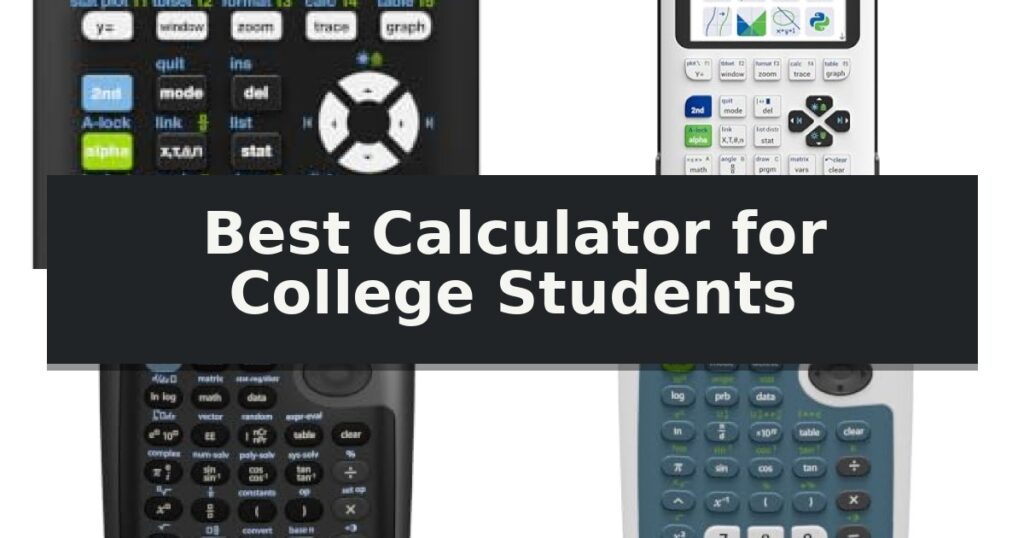
10 Best Calculator for College Students in 2026 Reviews
Quick Comparison
| Product | Best For | Key Strength | Score |
|---|---|---|---|
| Texas Instruments TI-84 Plus CE Graphing Calculator | Best Overall | Full-color display for clearer graphing and data visualization. | 4.9 |
| Texas Instruments TI-84 Evo Graphing Calculator | Faster Processing and Bigger Graphs | 3x faster performance for quicker calculations. | 4.9 |
| Texas Instruments TI-36X Pro Scientific Calculator | Powerful Non-Graphing Engineering Tool | MultiView display allows for simultaneous calculation viewing. | 4.5 |
| Texas Instruments TI-30XS MultiView Scientific Calculator | Textbook-Style Multi-Line Display | MultiView display supports up to four lines for simultaneous calculation viewing. | 4.9 |
| Texas Instruments TI-34 MultiView Scientific Calculator | Advanced Fraction Handling | Four-line MultiView display for comparing multiple results. | 4.7 |
| CATIGA CS-991NX Scientific Calculator | Comprehensive Functionality for Engineering | Textbook-style HD display for clear equation rendering. | 4.6 |
| Casio FX-300ESPLSB Scientific Calculator | Intuitive Natural Textbook Display | Natural Textbook Display for intuitive formula entry | 4.8 |
| Casio FX-115ESPLSB Scientific Calculator | Advanced Statistics and Engineering Support | Natural Textbook Display for clear expression viewing | 4.4 |
| Texas Instruments TI-30XIIS Scientific Calculator | Reliable Two-Line Basic Scientific | Two-line display for simultaneous entry and result viewing | 4.8 |
| Texas Instruments TI-30Xa Scientific Calculator | Simple Essential Math Functions | Traditional fraction entry for simplified math operations. | 4.9 |
How We Chose
Evaluating the best calculator for college students requires a focus on academic utility and long-term reliability. We assess these devices by examining how effectively they handle complex equations, their adherence to standard testing requirements, and the intuitiveness of their user interfaces. These practical criteria help distinguish specialized engineering tools from versatile graphing models.
- Exam compliance and permitted device lists
- Display clarity and math symbol rendering
- Processing speed and navigation efficiency
- Battery life and charging convenience
- Build quality and physical portability
1 Texas Instruments TI-84 Plus CE Graphing Calculator — Standard Choice for College Math
Navigating complex coursework requires a tool that can handle advanced functions while remaining intuitive enough for daily use. The Texas Instruments TI-84 Plus CE Graphing Calculator distinguishes itself with a high-resolution, full-color display that allows students to graph in vibrant colors, making it easier to identify and differentiate between multiple functions or data sets on a single screen.
Beyond its visual capabilities, this model features the MathPrint technology, which enables users to input and view math symbols, formulas, and stacked fractions exactly as they appear in standard textbooks. This design choice reduces the friction often associated with translating handwritten notes into calculator syntax, helping students focus on the underlying concepts rather than formatting.
Portability and longevity are essential for a student's daily carry. Weighing only 0.44 pounds, the device is lightweight yet built to withstand the rigors of a classroom environment. It is powered by a TI Rechargeable Battery that provides up to one month of use on a single charge, eliminating the need for frequent battery replacements during a busy semester.
The package includes a 4-year subscription for the online version of the calculator, providing a consistent experience between the physical device and a computer. With its faster processing speed compared to the standard TI-84 Plus, this calculator serves as a reliable, long-term asset for students progressing from middle school through college-level mathematics and science courses.
Best for: Students requiring a durable, rechargeable graphing calculator with color-coded visualization for advanced math and science coursework.
Skip if: Users who prefer a traditional non-rechargeable model or those whose specific curriculum requires a computer algebra system (CAS) calculator.
- Full-color display for clearer graphing and data visualization.
- TI Rechargeable Battery lasts up to one month per charge.
- MathPrint feature displays formulas exactly as they appear in textbooks.
- Lightweight and durable construction suitable for daily transport.
- Requires periodic recharging via USB, unlike models using standard alkaline batteries.
2 Texas Instruments TI-84 Evo Graphing Calculator — Faster Processing and Bigger Graphs
Navigating complex coursework requires efficient tools, and the Texas Instruments TI-84 Evo Graphing Calculator introduces a refined interface designed to streamline your workflow. By utilizing an icon-based home screen, this model places essential math tools directly at your fingertips, allowing for faster and more intuitive navigation during high-pressure exam environments or daily study sessions.
Beyond its interface, the device features a significantly upgraded processor that delivers 3x faster performance compared to previous iterations. This power boost ensures that calculations are processed rapidly and graphs render with increased fluidity. The hardware also prioritizes visual clarity, offering 50% more graphing space on the display, which helps in identifying patterns and complex relationships in data sets more effectively.
Usability is further enhanced through a simplified keypad design. By incorporating larger buttons and reducing overall clutter, the calculator allows for quicker input with fewer required steps. The inclusion of USB-C charging modernizes the power management process, ensuring the device remains ready for long days on campus without the need for constant battery replacements.
This calculator is built for versatility, supporting Python programming to assist with advanced computational tasks. Its compact dimensions of 7.57 x 3.4 x 0.1 inches and lightweight 0.45-pound frame ensure it remains portable enough to fit into any backpack, making it a practical companion for students balancing multiple STEM-focused subjects.
Best for: Students who require faster processing speeds and a larger display area for complex graphing and programming tasks.
Skip if: Students who prefer a traditional, non-icon-based interface or those who do not require Python programming capabilities.
- 3x faster performance for quicker calculations.
- 50% more graphing space for clearer data visualization.
- Icon-based home screen for intuitive navigation.
- USB-C charging for convenient power management.
- Simplified keypad with larger, easier-to-use buttons.
- Learning curve associated with the new icon-based interface for long-time users of older TI-84 models.
3 Texas Instruments TI-36X Pro Scientific Calculator — Powerful Non-Graphing Engineering Tool
Navigating complex coursework requires a reliable tool that bridges the gap between basic arithmetic and advanced problem-solving. The Texas Instruments TI-36X Pro Engineering/Scientific Calculator serves this purpose by offering a robust feature set tailored for high school and college-level mathematics, including Algebra, Trigonometry, Statistics, and Calculus.
This model is particularly useful for environments where graphing technology is restricted, as it provides advanced computational power without violating typical exam policies. The MultiView display is a standout design choice, allowing students to view multiple calculations simultaneously on the screen, which helps in verifying work and tracking multi-step problems.
The integration of MathPrint technology ensures that mathematical expressions, symbols, and stacked fractions appear exactly as they are written in standard textbooks. This visual clarity reduces transcription errors and simplifies the process of inputting complex equations. Students can also utilize the device to convert fractions, decimals, and terms like Pi into various alternate representations, providing flexibility during testing.
Designed for versatility, the calculator allows users to toggle between modes such as degrees/radians, floating/fix, and various number formats. With its compact 9.7-inch form factor and lightweight build, it fits easily into a backpack, making it a practical companion for daily lectures and laboratory sessions alike.
Best for: Students enrolled in engineering, science, or advanced mathematics courses where graphing calculators are prohibited.
Skip if: Students who specifically require advanced graphing capabilities, 3D plotting, or programmable features for specialized computer science coursework.
- MultiView display allows for simultaneous calculation viewing.
- MathPrint technology mirrors textbook formatting for improved readability.
- Non-graphing design ensures compliance with most restricted-technology curricula.
- Versatile conversion tools for fractions, decimals, and constants.
- Lacks graphing functionality required for higher-level visual analysis.
- Non-programmable interface limits custom script execution.
4 Texas Instruments TI-30XS MultiView Scientific Calculator — Textbook-Style Multi-Line Display
Navigating complex mathematical expressions is simplified by the Texas Instruments TI-30XS MultiView Scientific Calculator, which features a four-line MultiView display. This design allows students to view multiple calculations simultaneously, enabling the comparison of results and the exploration of patterns directly on the screen.
The device is engineered to display math expressions, symbols, and stacked fractions exactly as they appear in textbooks. By removing the need to adapt to technical syntax, the Texas Instruments TI-30XS MultiView Scientific Calculator provides intuitive access to frequently used functions. This makes it a practical tool for subjects ranging from Pre-Algebra and Algebra 1 and 2 to Geometry, Statistics, Biology, and Chemistry.
Beyond basic arithmetic, the calculator includes advanced capabilities such as scientific notation output with proper superscripted exponents. Students can also utilize the (x,y) table of values feature, which allows for the automatic exploration of functions or the entry of specific x-values to observe output patterns.
Measuring 7.25 inches in height and weighing 0.32 pounds, the unit is portable for campus use. It is powered for reliability and includes a 1-year manufacturer warranty, ensuring that students have a consistent tool for their general math and science coursework throughout the academic year.
Best for: Students requiring a textbook-style display for algebra, geometry, statistics, and general science coursework.
Skip if: Users who require graphing capabilities or advanced programming features for higher-level engineering or calculus courses.
- MultiView display supports up to four lines for simultaneous calculation viewing.
- Textbook-style formatting displays fractions and symbols as they appear in print.
- Integrated (x,y) table functionality for exploring function values.
- Scientific notation support with proper exponent display.
- Lacks advanced graphing or complex programming features required for higher-level mathematics.
5 Texas Instruments TI-34 MultiView Scientific Calculator — Advanced Fraction Handling
The Texas Instruments TI-34 MultiView Scientific Calculator simplifies complex coursework through its four-line MultiView display, which allows students to compare results and observe patterns directly on the screen. This design choice is specifically intended to help users visualize math expressions, symbols, and stacked fractions exactly as they appear in standard textbooks.
Engineered for academic environments, this model features the MathPrint function, providing quick access to frequently used operations. The device includes a previous entry capability that enables users to review past calculations, while the table feature allows for the exploration of (x,y) value pairs either automatically or through manual input.
Navigating the calculator is streamlined by pull-down menus that mirror the interface logic found in graphing calculators. All operational mode settings are consolidated into a single, central mode screen, reducing the time spent toggling through menus. The device also supports scientific notation output, displaying results with proper superscripted exponents.
This calculator is a practical tool for middle school and high school curricula, covering subjects from Pre-Algebra to Geometry. It is officially approved for use on SAT, ACT, and AP exams, making it a reliable choice for students preparing for standardized testing requirements.
Best for: Middle and high school students requiring a calculator approved for standardized testing with advanced fraction and table-plotting capabilities.
Skip if: Students enrolled in advanced calculus or engineering courses that require graphing functionality or programmable memory.
- Four-line MultiView display for comparing multiple results.
- MathPrint feature displays fractions and symbols as they appear in textbooks.
- Approved for SAT, ACT, and AP exams.
- Centralized mode screen for efficient navigation.
- Lacks graphing capabilities required for higher-level mathematics.
6 CATIGA CS-991NX Scientific Calculator — Comprehensive Functionality for Engineering
The CATIGA CS-991NX Scientific Calculator distinguishes itself with a textbook-style HD display that utilizes 4-gradation shading to render fractions, exponents, and roots exactly as they appear in academic materials. This high-resolution interface eliminates the need to interpret cramped, single-line equations, allowing for a more intuitive workflow during complex problem-solving sessions.
Engineered for versatility, this device packs 538 functions into a compact frame. It supports a wide range of coursework, from basic algebra and trigonometry to advanced engineering topics like matrix and vector calculations, complex number operations, and built-in spreadsheet functionality. An icon-based menu system allows students to toggle between modes—such as statistics, distribution, and equation solving—with a single tap.
Portability and reliability are central to its design. The calculator features a magnetic hard case that snaps securely into place, providing robust protection against the rigors of a student's backpack. To ensure uninterrupted use during high-stakes testing, it utilizes a dual solar and battery power system, providing a fail-safe against power loss.
Measuring 6.38 by 3.03 by 0.42 inches and weighing only 0.21 lbs, the unit is optimized for portability without sacrificing durability. While it is a comprehensive tool for SAT and AP coursework, users should always verify the specific model against their exam board's approved equipment list to ensure compliance.
Best for: College and high school students requiring a comprehensive, portable device for advanced mathematics, physics, and engineering coursework.
Skip if: Students whose specific exam board or course requirements mandate a graphing calculator or a different specific model.
- Textbook-style HD display for clear equation rendering.
- 538 built-in functions covering a wide range of STEM subjects.
- Magnetic hard case for secure, durable protection.
- Dual solar and battery power for reliable operation.
- Non-graphing interface may not meet requirements for certain advanced calculus or engineering courses.
7 Casio FX-300ESPLSB Scientific Calculator — Intuitive Natural Textbook Display
The Casio FX-300ESPLSB Scientific Calculator distinguishes itself through its Natural Textbook Display, a feature that renders mathematical expressions and results exactly as they appear in standard academic textbooks. This design choice effectively removes the barrier of interpreting complex calculator-specific syntax, allowing students to focus entirely on the underlying mathematical concepts rather than the mechanics of input.
Measuring 7 inches in length and 3.5 inches in width, this compact scientific calculator is engineered for portability. Its slim profile ensures it fits easily into a backpack or desk organizer without adding unnecessary bulk, making it a practical choice for students who need reliable computational support throughout their daily academic schedule.
Beyond its physical design, the device provides the essential functionality required for middle and high school coursework. By mirroring the formatting found in educational materials, the interface reduces the cognitive load often associated with advanced scientific tools. This streamlined approach ensures that students can transition between different types of problems with greater efficiency.
While this model is highly effective for foundational math, it is important to note that its feature set is optimized for standard curriculum requirements rather than advanced engineering or university-level programming. The inclusion of a 1-year manufacturer warranty provides a layer of support for its intended daily use, reflecting its role as a dedicated tool for academic success.
Best for: Middle and high school students who require a reliable, textbook-style display for daily math coursework.
Skip if: Students enrolled in advanced engineering or university-level courses that mandate programmable or graphing capabilities.
- Natural Textbook Display for intuitive formula entry
- Compact and lightweight design for easy transport
- 1-year manufacturer warranty included
- Simplified interface tailored for school-level math
- Lacks advanced graphing or complex programming features
8 Casio FX-115ESPLSB Scientific Calculator — Advanced Statistics and Engineering Support
Navigating complex coursework in engineering, science, and statistics requires a reliable tool that can handle advanced mathematical notation without confusion. The Casio FX-115ESPLSB Scientific Calculator addresses this by featuring a Natural Textbook Display, which allows students to view fractions, derivatives, integrals, and other expressions exactly as they appear in academic textbooks.
Designed for portability and efficiency, this device measures 7 inches in length and 3.5 inches in width, with a slim profile of just 0.1 inches in height. At a weight of 0.4 pounds, it is lightweight enough for daily transport in a backpack or laptop sleeve, ensuring it is ready for lectures, labs, or study sessions.
The calculator is built to support a wide range of academic needs, from basic algebra to complex engineering calculations. Its interface is engineered to reduce the cognitive load of translating manual inputs into calculator-specific syntax, allowing for a more intuitive workflow during high-pressure exams or long problem sets.
With a 1-year manufacturer warranty, the unit provides a standard level of support for its intended academic use. Its white finish and compact design make it a practical, unobtrusive addition to any student's desk, balancing advanced functionality with a user-friendly form factor.
Best for: Students pursuing engineering, science, or statistics degrees who require a calculator that displays mathematical expressions in standard textbook format.
Skip if: Students who require a graphing calculator for advanced calculus or computer science courses that involve complex data visualization and plotting.
- Natural Textbook Display for clear expression viewing
- Compact and lightweight design for easy portability
- Versatile functionality suited for engineering and science coursework
- Lacks advanced graphing capabilities required for some higher-level mathematics
9 Texas Instruments TI-30XIIS Scientific Calculator — Reliable Two-Line Basic Scientific
Navigating the rigorous demands of higher education requires tools that offer both precision and reliability. The Texas Instruments TI-30XIIS Scientific Calculator serves this purpose by integrating a two-line display that simultaneously presents the user's input and the resulting calculation. This configuration is essential for students, as it allows for immediate verification of complex entries, effectively minimizing errors during multi-step math and science coursework.
Engineered for versatility, this device is equipped with a comprehensive suite of advanced scientific and trigonometric functions, alongside robust statistical capabilities. It handles fraction conversions and complex operations with ease, making it a functional, long-term asset for introductory college-level mathematics and science. The unit is designed to be a portable solution, featuring a compact black chassis that measures approximately 6.1 inches by 3.2 inches, ensuring it fits easily into a student's bag without adding significant weight.
Power management is addressed through a dual-power system, which utilizes both solar and battery energy to maintain consistent operation regardless of lighting conditions. This hybrid approach provides a practical trade-off, ensuring the device remains functional during long study sessions or exams where battery failure would otherwise be a concern.
Beyond its daily utility, the Texas Instruments TI-30XIIS Scientific Calculator is officially approved for use on SAT, ACT, and AP exams. This certification provides a significant advantage, as it allows students to utilize the same familiar interface for both their standard coursework and high-stakes testing environments, fostering confidence and efficiency.
Best for: Students requiring a reliable, exam-approved calculator for high school and introductory college math and science courses.
Skip if: Students pursuing advanced engineering or mathematics degrees who require graphing capabilities or programmable features.
- Two-line display for simultaneous entry and result viewing
- Dual-power system utilizing both solar and battery
- Approved for major exams including SAT, ACT, and AP
- Includes advanced scientific and statistical functions
- Lacks graphing capabilities for advanced calculus or engineering coursework
10 Texas Instruments TI-30Xa Scientific Calculator — Simple Essential Math Functions
Navigating the demands of undergraduate coursework requires a reliable tool for quick calculations, and the Texas Instruments TI-30Xa Scientific Calculator offers a streamlined solution for students tackling general math, pre-algebra, and algebra I and II. This battery-powered device prioritizes simplicity, featuring a clear 10-digit display that allows for efficient entry and reading of complex equations.
Beyond basic arithmetic, this calculator is equipped to handle advanced functions including trigonometric operations, logarithms, roots, powers, reciprocals, and factorials. It provides specialized support for students in general science and biology, offering 1-variable statistics that calculate both mean and standard deviation. The inclusion of a slide case ensures the device remains protected when stored in a backpack between classes.
Usability is enhanced by the ability to perform conversions between fractions and decimals, degrees, radians, and grads, as well as polar and rectangular coordinates. A notable feature for fraction-heavy coursework is the dedicated input method that allows users to enter values in a traditional numerator/denominator format, simplifying operations like addition, subtraction, multiplication, and division of fractions.
While this model is highly functional for foundational college math, it is a specialized scientific tool rather than a graphing calculator. It is designed for students who need a straightforward, portable device for standard scientific and algebraic tasks without the complexity or screen size of more advanced, programmable alternatives.
Best for: Students enrolled in general math, pre-algebra, algebra, and general science courses who require a reliable, portable scientific calculator.
Skip if: Students in advanced calculus, engineering, or statistics courses who require graphing capabilities or programmable functions.
- Traditional fraction entry for simplified math operations.
- Comprehensive 1-variable statistics including mean and standard deviation.
- Includes a protective slide case for portability.
- Versatile conversions for degrees, radians, grads, and polar/rectangular coordinates.
- Lacks graphing capabilities required for higher-level mathematics.
- Battery-powered operation requires monitoring for replacement.
Best Calculator for College Students Buying Guide
Graphing vs. Scientific Models
Graphing calculators are essential for courses involving calculus, statistics, and advanced physics, as they allow students to visualize functions and analyze data sets. These devices often feature color displays and programmable capabilities that simplify complex multi-step problems.
Scientific calculators are typically required for lower-level math or specific engineering exams where graphing technology is prohibited. They excel at handling fractions, trigonometry, and scientific notation with a focus on speed and accuracy rather than visual plotting.
Exam Board Compliance
Before purchasing, always verify your department's specific calculator policy. Many standardized tests and university exams have strict lists of approved devices, and bringing an unauthorized model can lead to disqualification.
Models like the TI-36X Pro are frequently permitted in settings where graphing calculators are banned, making them a safer investment for general science and engineering students who need advanced functionality without the visual graphing features.
Display and Navigation
Modern calculators often feature MathPrint or similar textbook-style displays that show fractions and exponents exactly as they appear in your course materials. This reduces input errors and makes it easier to track your work during long calculations.
Look for devices with intuitive icon-based menus or clear, labeled buttons. A calculator that requires navigating through deep, complex menus for basic functions can significantly slow you down during timed exams.
Power and Portability
College students spend long hours on campus, so battery life is a critical consideration. Rechargeable graphing calculators offer convenience but require you to carry a cable, while dual-power scientific models often rely on solar energy with battery backup.
Consider the physical size and weight of the device. A slim, lightweight calculator with a protective hard case is easier to transport in a backpack and less likely to suffer damage during daily travel between lecture halls.
Long-Term Value
Investing in a higher-end model early in your academic career can save money if the device remains compliant through your final years. However, avoid paying for advanced features like Python programming or complex statistics if your specific major does not require them.
Durability is just as important as functionality. A model with a sturdy build and responsive keys will withstand the wear and tear of a multi-year degree program better than a cheaper, flimsy alternative.
Frequently Asked Questions
Can I use a graphing calculator in every math class?
No, many professors and specific exam boards prohibit graphing calculators to ensure students learn the underlying mathematical concepts. Always check your syllabus.
What is the benefit of a MathPrint display?
A MathPrint display shows equations and fractions in a vertical, textbook-style format, which makes it easier to read and verify your input compared to linear, single-line displays.
Do I need a rechargeable calculator?
Rechargeable models are convenient and reduce waste, but they require you to keep track of a charging cable. Battery-powered or solar-hybrid models are often more reliable for students who forget to charge their devices.
Are scientific calculators enough for engineering majors?
Many engineering programs require advanced scientific calculators that can handle matrices, complex numbers, and equation solving, even if they do not plot graphs.
How do I know if my calculator is allowed on the SAT or ACT?
Both the SAT and ACT maintain official lists of approved calculators on their websites. You should consult these lists before your exam date to confirm your model is permitted.
Conclusion: Our Top Pick
Our top pick is Texas Instruments TI-84 Plus CE Graphing Calculator. Choosing the right calculator depends on your specific major and the requirements of your professors. While graphing calculators provide the most versatility for advanced mathematics, scientific models offer the precision and compliance necessary for many engineering and science courses.
Prioritize a device that you find comfortable to use and that meets your school's testing standards. A reliable, well-understood calculator is a far better tool for your success than a more expensive model that you struggle to navigate during an exam.