Elegoo ESP-32 Super Starter Kit is our top choice for the Best Microcontroller Experiment Kits because it balances a powerful dual-core processor with a comprehensive set of modules for versatile IoT development. The Freenove Complete Starter Kit follows as a strong alternative for those needing the largest component library, while the Keyestudio Micro:bit V2 Starter Kit serves as the most accessible entry point for younger students and beginners.
Selecting the right kit requires balancing the complexity of the microcontroller with the breadth of included hardware. Kits centered on the ESP-32 offer significant wireless capabilities for smart home projects, while those featuring micro:bit or C51 boards prioritize ease of use and foundational logic for educational settings.
If you are ready to move beyond these starter sets, our guide on Best Microcontroller Development Boards offers insights into more advanced hardware for professional-grade projects.
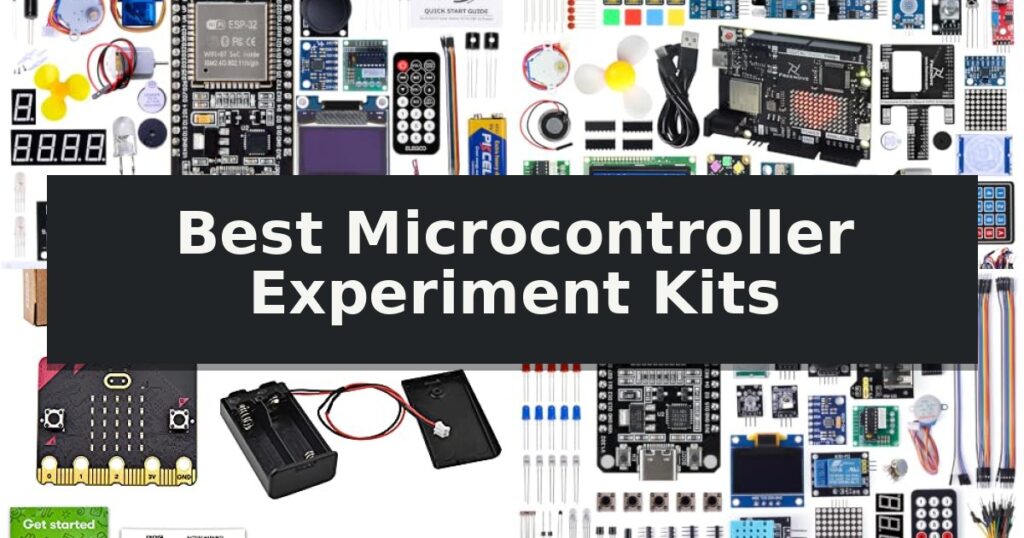
7 Best Microcontroller Experiment Kits in 2026 Reviews
Quick Comparison
| Product | Best For | Key Strength | Score |
|---|---|---|---|
| Elegoo ESP-32 Super Starter Kit | Best Overall | Powerful dual-core processor with integrated Wi-Fi and Bluetooth 4.2. | 4.9 |
| Freenove Complete Starter Kit | Most Comprehensive Component Selection | Includes a massive 343-piece component inventory for diverse project building. | 4.3 |
| Keyestudio Micro:bit V2 Starter Kit | Easiest Entry for Young Coders | All-in-one bundle includes storage, power, and connectivity accessories. | 4.4 |
| Yakomon ESP-32 Super Starter Kit | Reliable Dual-Core Performance | Dual-core ESP-32 microcontroller with built-in Wi-Fi and Bluetooth 4.2. | 4.6 |
| Gowenic Electronics Starter Kit | Versatile Multi-Microcontroller Support | Wide experiment range covering 35 distinct projects. | 4.7 |
| Dorhea Infrared Smart Robot Kit | Best for Robotics and Automation | Provides a comprehensive DIY experience that teaches both welding and circuit assembly. | 4.3 |
| Ayasoso STM32F103ZET6 Development Board | Advanced ARM Embedded Learning | High-performance ARM Cortex-M3 architecture. | 4.3 |
How We Chose
Evaluating the Best Microcontroller Experiment Kits requires a focus on how well the hardware supports the learning curve. We assess the reliability of the development board, the relevance of the included sensors, and the practical utility of the provided tutorials to ensure users can progress from basic circuits to complex automation.
- Microcontroller architecture and processing power
- Breadth and quality of included sensors and modules
- Clarity and depth of provided instructional materials
- Compatibility with standard programming environments like Arduino IDE
- Expandability for future advanced projects
1 Elegoo ESP-32 Super Starter Kit — Best for IoT and Wireless Projects
The Elegoo ESP-32 Super Starter Kit centers on a high-performance dual-core processor, providing an accessible entry point for those looking to integrate wireless connectivity into their electronics projects. By combining the versatile ESP-32 development board with an extensive collection of over 35 modules, this kit facilitates the creation of IoT devices capable of communicating with cloud services or mobile applications via integrated Wi-Fi and Bluetooth 4.2.
Designed for versatility, the kit includes a wide array of components such as sensors, displays, motors, and input devices like keypads and buttons. This hardware selection allows users to move beyond simple circuits into complex applications, such as building smart home controllers or remote-operated gadgets, all while utilizing the board's compatibility with the Arduino IDE.
To support users at various skill levels, the package features a comprehensive online tutorial. This resource provides step-by-step instructions for over 30 projects, complete with circuit diagrams and refined code. Whether you are a student or an engineer, the structured approach helps in mastering the fundamentals of coding and hardware integration without requiring prior experience.
The kit emphasizes reliability through carefully selected modules and a well-organized layout. With a focus on practical learning, it serves as a foundation for real-world innovation, supported by the manufacturer's technical resources and community guidance for those navigating their first IoT development journey.
Best for: Students, hobbyists, and engineers who want to learn IoT development and wireless project design using a comprehensive, all-in-one hardware set.
Skip if: Users who require a simple, non-wireless microcontroller or those who do not intend to use the Arduino IDE for programming.
- Powerful dual-core processor with integrated Wi-Fi and Bluetooth 4.2.
- Extensive component library featuring over 35 modules for diverse project types.
- Beginner-friendly online tutorials covering 30+ projects with code and diagrams.
- Full compatibility with the Arduino IDE for streamlined programming.
- Requires internet access to retrieve the most up-to-date online tutorials and project documentation.
2 Freenove Complete Starter Kit — Most Comprehensive Component Selection
The Freenove Complete Starter Kit centers on an upgraded Arm Cortex-M4 Microcontroller architecture, providing a robust foundation for electronics experimentation with a 48 MHz main core clock speed, 256 kB of Flash memory, and 32 kB of RAM. This kit integrates an onboard ESP32-S3 module to facilitate WiFi and Bluetooth connectivity, ensuring compatibility with the Arduino IDE for a wide range of IoT-focused projects.
Designed for comprehensive learning, the package includes 343 individual items, ranging from sensors and modules to essential electronic components. Users are guided through 90 distinct projects, progressing from fundamental circuit building to advanced applications like virtual instruments and game consoles. The kit relies on a 474-page digital tutorial that provides step-by-step schematics and wiring diagrams.
This hardware ecosystem is specifically tailored for those looking to bridge the gap between basic programming and complex hardware control. The inclusion of the ESP32-S3 ensures that users can experiment with wireless communication protocols while maintaining a structured learning path through the provided documentation. It serves as a versatile platform for both educational purposes and custom prototyping.
While the kit offers extensive resources, it is important to note that all instructional materials are provided via a digital download link included with the packaging rather than printed manuals. The hardware is fully compatible with the Blue Rev4 WiFi board, though users should verify library compatibility if transitioning from older Rev3 hardware environments.
Best for: Students and hobbyists seeking a comprehensive, all-in-one hardware platform for learning microcontroller programming and IoT integration.
Skip if: Users who prefer physical, printed manuals or those who require specific legacy support for older Blue Rev3 board libraries.
- Includes a massive 343-piece component inventory for diverse project building.
- Features a powerful Arm Cortex-M4 core with integrated ESP32-S3 for wireless connectivity.
- Provides a detailed 474-page digital tutorial covering 90 progressive projects.
- Supports advanced experimentation like virtual oscilloscopes and game consoles.
- Documentation is digital-only with no included paper manual.
- Some code and library limitations exist when compared to older Rev3 board versions.
3 Keyestudio Micro:bit V2 Starter Kit — Easiest Entry for Young Coders
The Keyestudio Micro:bit V2 Starter Kit provides a comprehensive entry point for students and hobbyists by bundling the programmable board with essential accessories like a USB cable, battery holder, and a dedicated acrylic storage box. This kit is designed to facilitate immediate project development without the need for additional hardware or soldering, making it a practical choice for classroom or home learning environments.
At the core of the experience is the Micro:bit V2.2 board, which supports versatile programming environments including Microsoft MakeCode, JavaScript, and micro Python. Users can transition from simple drag-and-drop block coding to more advanced text-based scripts as their technical proficiency develops, allowing the kit to grow alongside the learner.
The board integrates several physical input and output features that encourage interactive design. With a built-in speaker, microphone, and a touch-sensitive logo, the hardware allows for projects that respond to sound, touch, and movement. These components, combined with the 25-LED display, enable users to build functional prototypes like clap-responsive animations, digital dice, or scrolling name badges.
Compatibility is a key strength, as the kit is backward compatible with existing micro:bit v1 lessons and tutorials. The system supports data transfer via USB at speeds up to 480 Mbps and offers portability through the included battery holder, ensuring that projects can be demonstrated in various settings beyond the desktop.
Best for: Beginners and students seeking an all-in-one, solder-free introduction to physical computing and STEM programming.
Skip if: Advanced users requiring high-performance processing power or specific industrial-grade I/O pins not supported by the micro:bit architecture.
- All-in-one bundle includes storage, power, and connectivity accessories.
- No soldering required, ensuring a safe and accessible setup for students.
- Versatile programming support ranging from block-based to Python.
- Integrated sensors like a microphone and touch-sensitive logo for interactive projects.
- Batteries not included, requiring separate purchase for portable use.
- Limited processing capability compared to full-scale development boards.
4 Yakomon ESP-32 Super Starter Kit — Reliable Dual-Core Performance
The Yakomon ESP-32 Super Starter Kit centers on a high-performance, dual-core microcontroller equipped with integrated Wi-Fi and Bluetooth 4.2. This development board is designed for IoT and smart device projects, offering seamless compatibility with the Arduino IDE for users looking to bridge hardware with cloud or mobile connectivity.
This everything-in-one starter bundle includes over 35 modules and components, such as sensors, displays, motors, buttons, and an OLED screen. By providing a comprehensive hardware set, the kit allows hobbyists and students to transition from simple circuit building to complex applications like weather stations, smart home controllers, and interactive gadgets.
To assist with the learning curve, the kit features a guided tutorial system covering 25+ projects. These resources provide circuit diagrams, ready-to-use code, and clear instructions to help users understand electronics basics and specific ESP-32 features. The manufacturer also provides direct support for accessing these materials if needed.
Built for scalability, the Yakomon ESP-32 Super Starter Kit is intended to grow with the user's skill level. Its reliance on well-tested modules and clean code aims to minimize debugging frustration, allowing developers to focus on project design and implementation.
Best for: Students, hobbyists, and engineers seeking an all-in-one IoT development platform with integrated wireless connectivity.
Skip if: Users who require a specific, single-purpose sensor or component not included in the 35-piece bundle may find a specialized component kit more efficient.
- Dual-core ESP-32 microcontroller with built-in Wi-Fi and Bluetooth 4.2.
- Comprehensive bundle featuring over 35 modules and components.
- Guided tutorial system with 25+ projects and sample code.
- Seamless integration with the Arduino IDE.
- Instructional access requires contacting support due to a printing error on the manual's QR code.
5 Gowenic Electronics Starter Kit — Versatile Multi-Microcontroller Support
The Gowenic Electronics Starter Kit provides a comprehensive foundation for hobbyists by bundling 41 distinct modules and components into a single package. This kit is specifically engineered to support experimentation across multiple platforms, including , , and 51 microcontrollers, making it a versatile choice for those looking to explore circuit design and programming.
The kit includes a wide array of sensors and actuators, such as a traffic light module, ultrasonic sensor, temperature sensor, and 5V stepper motor. These components allow users to build 35 hands-on projects, ranging from simple button-triggered actions to more complex sensor-driven displays using the included LCD1602 module.
Practical assembly is supported by the inclusion of a 400-hole breadboard and a variety of jumper wires, which facilitate rapid prototyping without the need for soldering. The components are housed in an organized plastic box, ensuring that the 4×4 keyboard, fan blades, and various modules remain accessible during project development.
Designed with a focus on educational utility, this kit encourages users to learn through direct interaction with hardware. By following the provided manual, users can test module functions and explore the relationship between code and physical output, providing a structured path for understanding microcontroller-based electronics.
Best for: Beginners and hobbyists who want a wide variety of sensors and modules to experiment with multiple microcontroller platforms in one organized package.
Skip if: Users who require specific, high-end industrial sensors or those who already possess a large collection of generic electronic components may find the pre-packaged nature of this kit redundant.
- Wide experiment range covering 35 distinct projects.
- Broad compatibility with , , and 51 microcontrollers.
- Includes a comprehensive variety of modules like ultrasonic, sound, and tilt sensors.
- Organized storage with a dedicated plastic box and breadboard.
- Limited to the included components, which may not cover advanced or niche project requirements.
- Relies on external documentation for project guidance, which may vary in depth.
6 Dorhea Infrared Smart Robot Kit — Best for Robotics and Automation
Building a functional smart robot from the ground up offers a practical entry point into embedded systems and circuit design. The Dorhea Infrared Smart Robot Kit provides a hands-on approach to this process, centering on a C51 microcontroller architecture that allows users to explore fundamental robotics control.
This kit is specifically engineered for those interested in electronics assembly and welding, supplying the necessary PCB, chassis, and motor components to construct a mobile platform. Once assembled, the unit supports multiple motion modes, including forward, backward, left turn, right turn, stop, and speed adjustment, providing a comprehensive look at how software logic translates into physical movement.
Designed with a working voltage of DC 4.5V and a working current of < 100mA, the system is tailored for educational environments and hobbyist experimentation. The assembly process encourages a deeper understanding of circuit principles, as the user is responsible for the physical integration of the components.
Users should note that the kit requires manual assembly and welding. If a motor operates in the incorrect direction, the design allows for a simple fix by swapping the two wires connected to the reduction motor, ensuring the robot functions as intended.
Best for: Students and electronics enthusiasts seeking a hands-on introduction to microcontroller programming and robotic assembly through welding.
Skip if: Users who prefer a pre-assembled, plug-and-play robotic platform or those without access to soldering equipment.
- Provides a comprehensive DIY experience that teaches both welding and circuit assembly.
- Based on C51 microcontroller technology, offering a standard foundation for learning embedded systems.
- Includes versatile motion modes such as speed adjustment and multi-directional steering.
- Specifically designed for STEM education and electronics beginners.
- Requires manual welding and assembly of all components.
- May require manual adjustment of motor wiring to ensure correct directional movement.
7 Ayasoso STM32F103ZET6 Development Board — Advanced ARM Embedded Learning
The Ayasoso STM32F103ZET6 Development Board serves as a high-performance foundation for embedded systems, built around the robust ARM Cortex-M3 architecture. This microcontroller experiment kit is engineered to provide students, engineers, and hobbyists with a reliable platform for prototyping and advanced learning. By utilizing the powerful STM32F103ZET6 MCU, the board delivers the processing overhead necessary for complex logic, signal processing, and real-time control tasks that entry-level boards often struggle to manage.
Equipped with a full GPIO pinout, the board allows for extensive expansion and direct connectivity to a wide range of external sensors, peripherals, and custom hardware modules. This design choice is critical for developers who need to interface with multiple communication protocols simultaneously, such as I2C, SPI, or UART, without the constraints of limited I/O pins. The physical layout ensures that users can prototype sophisticated hardware configurations, making it a practical choice for transitioning from basic experiments to custom-engineered embedded solutions.
Designed for versatility, this kit supports diverse development environments, including IoT development, robotics, and automation projects. The board prioritizes ease of use, offering streamlined programming and debugging capabilities that help reduce the learning curve for those new to ARM-based systems. While it provides professional-grade capabilities, the inclusion of ample documentation assists users in navigating the complexities of embedded system architecture, ensuring that the transition to more advanced firmware development remains manageable.
A notable trade-off for this level of performance is the steeper learning curve compared to plug-and-play hobbyist platforms. Because it is designed for professional-grade prototyping, users must possess a foundational understanding of embedded systems, pin configuration, and C-based programming. This complexity is an inherent part of its utility, as it provides the raw access required for serious development work rather than the simplified, abstracted interfaces found on beginner-focused kits.
Best for: Students and engineers seeking a high-performance ARM Cortex-M3 platform for prototyping IoT, robotics, and custom embedded systems.
Skip if: Users requiring a beginner-friendly, plug-and-play platform with integrated breadboards or pre-soldered sensors may find this professional-grade development board too complex.
- High-performance ARM Cortex-M3 architecture.
- Full GPIO pinout for extensive hardware expansion.
- Versatile support for IoT, robotics, and automation.
- Includes ample documentation for easier debugging and programming.
- Requires advanced knowledge of embedded systems compared to entry-level hobbyist boards.
Best Microcontroller Experiment Kits Buying Guide
Microcontroller Architecture
The core of any kit is its microcontroller, which dictates the performance ceiling of your projects. ESP-32 based kits provide dual-core processing and integrated wireless connectivity, making them ideal for IoT applications that require communication with cloud services or mobile devices.
Alternatively, boards like the micro:bit or ARM Cortex-M4 variants offer different strengths, such as built-in touch sensors or higher clock speeds. Choosing the right architecture depends on whether your goal is to learn basic logic or to build sophisticated, connected hardware.
Component Variety and Quality
A starter kit's value is often determined by the variety of sensors, actuators, and displays included. Kits that provide a broad range of inputs, such as ultrasonic sensors, keypads, and OLED screens, allow for a wider array of project types without requiring additional purchases.
Quality control is equally important, as faulty modules can lead to significant troubleshooting frustration. Look for kits that include well-documented components and reliable breadboards, which simplify the prototyping process and ensure consistent electrical connections.
Instructional Support
The effectiveness of a kit is heavily dependent on the quality of its documentation. High-quality tutorials provide step-by-step wiring diagrams and clean, commented code that helps beginners understand the relationship between hardware and software.
Some kits offer extensive online resources, while others rely on PDF guides. Prioritize kits that offer clear explanations of the underlying principles rather than just providing code to copy, as this fosters a deeper understanding of embedded systems.
Programming Environment Compatibility
Compatibility with established programming environments like the Arduino IDE is a critical factor for ease of use. This ensures that you can leverage a vast library of existing code, community forums, and third-party resources to solve problems as you advance.
For younger users, platforms that support block-based coding like MakeCode or Scratch provide a gentler introduction to programming concepts. Ensure the kit you select aligns with your current coding proficiency and your long-term learning goals.
Scalability and Future Use
Consider how the kit will serve you once you have mastered the initial projects. A good kit should allow for modular expansion, meaning you can integrate new sensors or actuators into your existing setup as your skills grow.
Look for kits that provide a solid foundation in GPIO pin usage and standard communication protocols like I2C or SPI. This knowledge is transferable and will remain useful even if you eventually move on to more advanced development boards or custom PCB designs.
Frequently Asked Questions
Do I need prior coding experience to use these kits?
Most starter kits are designed for beginners and include tutorials that guide you through the basics of both electronics and programming.
Can I use these kits for IoT projects?
Yes, kits featuring ESP-32 or similar Wi-Fi-enabled microcontrollers are specifically designed for IoT applications and smart device development.
Are batteries included in these kits?
Most kits do not include batteries, as they are typically powered via USB during the development and testing phases.
What is the difference between an ESP-32 and a standard Arduino board?
The ESP-32 is generally more powerful, featuring a dual-core processor and built-in wireless capabilities, whereas standard Arduino boards are often simpler and focused on basic input/output control.
Can I expand these kits later?
Yes, most kits use standard components like breadboards and jumper wires, allowing you to easily add new sensors or modules as you expand your project scope.
Conclusion: Our Top Pick
Choosing the right microcontroller kit depends on your specific goals, whether you are interested in IoT connectivity, robotics, or foundational coding. The Elegoo ESP-32 Super Starter Kit remains a standout for its balance of performance and comprehensive resources.
By focusing on kits that offer clear documentation and broad component compatibility, you ensure a smoother learning experience. Regardless of your choice, the skills gained from these experiments provide a solid foundation for any future work in electronics and embedded systems.