ELEGOO UNO R3 Project Starter Kit is our top choice for the Best Arduino Kits for Kids, offering a balanced introduction to circuit building and coding through 22 guided, solderless projects.
Selecting the right kit for young learners requires balancing technical complexity with accessible, hands-on engagement. We prioritize sets that provide clear documentation and modular components, ensuring that children can progress from basic LED circuits to more advanced sensor-based systems without frustration.
Our evaluation focuses on the quality of the included controller boards, the variety of sensors, and the clarity of the instructional materials. By analyzing how these kits handle common assembly hurdles, we identify options that provide the most reliable learning experience for different age groups and skill levels.
For those just starting their journey, our guide to the Best Arduino Starter Kits for Beginners provides additional context on selecting the right hardware for your first project. If you are interested in broader hardware options, our comparison of the Best Microcontroller Experiment Kits can help you explore alternatives beyond the standard Arduino ecosystem.
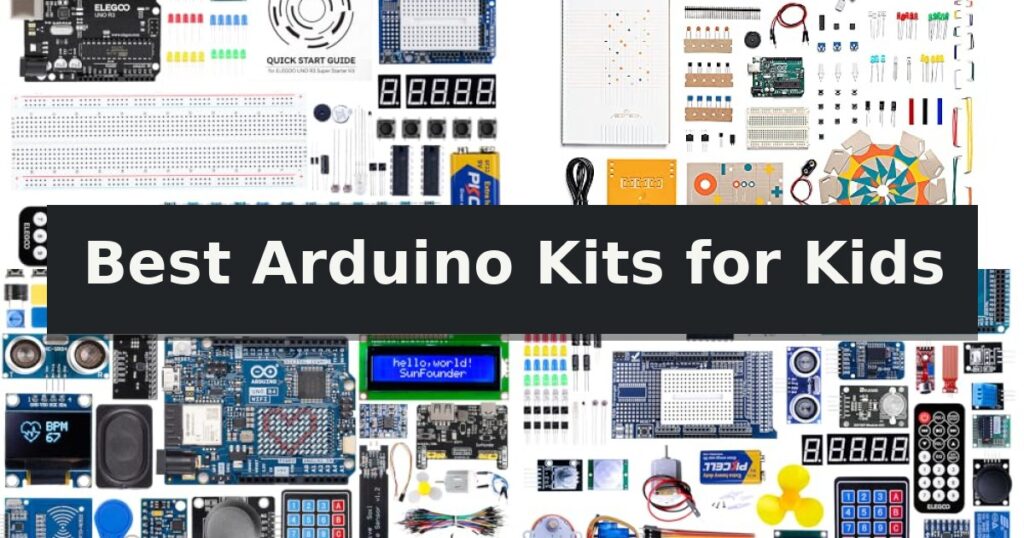
10 Best Arduino Kits for Kids in 2026 Reviews
Quick Comparison
| Product | Best For | Key Strength | Score |
|---|---|---|---|
| ELEGOO UNO R3 Project Starter Kit | Best Overall | Solderless design allows for immediate assembly and testing. | 4.9 |
| Arduino Official Starter Kit | Authentic learning experience | Comprehensive project book provides clear, step-by-step guidance for 12 DIY projects. | 4.8 |
| SunFounder Elite Explorer Kit | Best for modern IoT projects | Includes the powerful original Arduino UNO R4 WiFi board. | 4.8 |
| ELEGOO Mega 2560 Project Kit | Best for complex builds | High-capacity MEGA 2560 R3 board with 54 digital I/O pins for complex builds. | 4.8 |
| ELEGOO UNO R3 Complete Kit | Most comprehensive component set | Extensive component variety with over 200 pieces across 63 types. | 4.6 |
| REXQualis UNO R3 Starter Kit | Best value for money | 9V 1A Power Adapter included for consistent, reliable power. | 4.7 |
| ELEGOO ESP-32 Super Starter Kit | Best for wireless connectivity | Powerful dual-core processor with integrated Wi-Fi and Bluetooth 4.2. | 4.5 |
| Makeblock mBot STEM Robot Kit | Easiest for younger builders | Quick assembly time of approximately 15 minutes. | 4.9 |
| ELEGOO UNO R3 Smart Robot Car | Best for robotics enthusiasts | Guided wiring with keyed connectors reduces assembly mistakes. | 4.7 |
| ACEBOTT 4-in-1 Smart Robot Arm | Best modular engineering challenge | 4-in-1 modular design allows for multiple robot configurations. | 4.3 |
How We Chose
When evaluating the Best Arduino Kits for Kids, we look beyond the raw number of parts to assess how effectively a kit facilitates learning. An experienced reviewer examines the logical progression of projects, the reliability of the hardware, and the accessibility of the documentation to ensure the kit supports both immediate success and long-term skill development.
- Instructional clarity and quality of provided tutorials
- Component variety and sensor versatility for diverse projects
- Ease of assembly, specifically the inclusion of solderless breadboards
- Compatibility with standard Arduino IDE and community resources
- Durability and organization of the storage components
1 ELEGOO UNO R3 Project Starter Kit — Best for absolute beginners
The ELEGOO UNO R3 Project Super Starter Kit simplifies the transition from theory to practice by providing a solderless breadboard and pre-soldered LCD, allowing beginners to focus on wiring and code rather than assembly. This kit is designed to turn abstract concepts into tangible results, such as blinking LEDs, reading temperature data, or controlling motor movement.
Equipped with the UNO R3 controller, the kit includes a wide array of components like ultrasonic and DHT11 sensors, a joystick, and an IR remote. These parts enable users to experiment with digital and analog inputs, motor control, and display functions through 22+ guided lessons. The inclusion of a breadboard power module ensures stable operation when following the provided tutorials.
Designed for educational environments like STEM classrooms or home projects, the kit emphasizes logical learning. Users can start with example code provided in the Arduino IDE and eventually modify thresholds and sequences to create custom alarms or reaction games. The illustrated component list helps learners identify parts quickly during the setup process.
For successful operation, builders should ensure the power module input remains at 9V or below and verify component polarity during assembly. While the kit provides comprehensive support for first-time builders, younger learners benefit significantly from the guidance of an experienced adult to navigate the initial setup and testing phases.
Best for: Absolute beginners and students looking for a comprehensive, solder-free introduction to Arduino-based electronics and coding.
Skip if: Experienced engineers or advanced hobbyists who already possess a collection of specific sensors and require high-performance components beyond standard educational hardware.
- Solderless design allows for immediate assembly and testing.
- Includes a wide variety of sensors and motors for diverse project types.
- Guided PDF tutorials provide a structured learning path for beginners.
- Organized kit layout makes component identification efficient.
- Power module limitations require careful monitoring of input voltage.
- Requires adult supervision for younger users to ensure correct wiring and safety.
2 Arduino Official Starter Kit — Authentic learning experience
The Official Arduino Starter Kit [K000007] provides a comprehensive, hands-on entry point into electronics and microcontroller programming. Designed with a focus on educational utility, this kit includes a collection of genuine components sourced from Italy, ensuring that users work with reliable hardware as they navigate the fundamentals of circuit design.
Central to the experience is a detailed, step-by-step English Projects Book that guides beginners through 12 distinct DIY projects. By following these structured exercises, learners can progress from basic coding concepts to more complex circuit configurations, making it a versatile tool for classrooms, hobbyists, and STEM-focused learning environments.
The kit is engineered for accessibility across all skill levels, offering a balanced approach to learning that accommodates complete novices and those looking to refresh their technical knowledge. Its compact design and inclusion of essential electronic components allow for immediate experimentation without the need for additional hardware purchases.
While the kit provides a robust foundation for innovation, it is important to note that it is designed specifically as an educational platform. Users should verify that their specific project goals align with the included components, as this kit serves as a starting point for exploring the broader Arduino ecosystem.
Best for: Students and hobbyists seeking a structured, authentic introduction to electronics and coding through hands-on project building.
Skip if: Advanced users or engineers who require specialized sensors, high-power components, or specific modules not included in this foundational starter set.
- Comprehensive project book provides clear, step-by-step guidance for 12 DIY projects.
- Includes genuine, high-quality Arduino components sourced from Italy.
- Versatile design suitable for both classroom education and individual hobbyist learning.
- All-in-one package contains the essential hardware needed to begin immediately.
- Limited to foundational components, which may require additional purchases for advanced or custom projects.
- 30-day manufacturer defect warranty is relatively short for electronic hardware.
3 SunFounder Elite Explorer Kit — Best for modern IoT projects
Introducing the SunFounder Elite Explorer Kit, a comprehensive educational platform centered around the original Arduino UNO R4 WiFi. Designed for learners ages 8 and up, this kit bridges the gap between basic electronics and advanced IoT applications by providing a 32-bit processor and integrated connectivity.
The kit includes over 300 high-quality components, allowing for a wide range of hardware configurations. Users can progress through 50 hands-on projects, categorized into 30 basic, 13 fun, and 8 IoT-focused tasks. These projects are supported by 100+ free video lessons co-developed with educator Paul McWhorter, ensuring a structured learning path for beginners and engineers alike.
Hardware versatility is a core strength, as the Arduino UNO R4 WiFi board features built-in Bluetooth and WiFi, enabling seamless interaction with third-party applications and the Arduino IoT Cloud. The inclusion of an LCD1602 display and OLED module provides immediate visual feedback for coding projects, while the entire kit remains RoHS compliant to ensure safety during assembly.
To assist with complex programming challenges, the manufacturer provides dedicated technical support and access to troubleshooting forums. This ecosystem is designed to support Arduino C++ programming, making it a scalable tool for those looking to transition from simple circuit building to sophisticated, connected device development.
Best for: Students and aspiring makers seeking a comprehensive, project-based introduction to IoT and Arduino C++ programming.
Skip if: Users who only require basic, non-connected microcontroller functionality may find the advanced IoT features and extensive component list unnecessary for their needs.
- Includes the powerful original Arduino UNO R4 WiFi board.
- Access to 100+ free video lessons for guided learning.
- Comprehensive set of 300+ components for diverse project building.
- Integrated IoT capabilities with Bluetooth and WiFi support.
- The large number of components may be overwhelming for absolute beginners without the provided tutorials.
- Requires a stable internet connection to fully utilize the IoT and cloud-based project features.
4 ELEGOO Mega 2560 Project Kit — Best for complex builds
Developing complex electronics projects requires a robust platform that can handle multiple inputs and outputs simultaneously. The ELEGOO Mega 2560 Project Kit provides this foundation by utilizing the MEGA 2560 R3 board, which features 54 digital I/O pins, 15 PWM outputs, and 16 analog inputs. This capacity allows for the integration of diverse components, making it a suitable choice for students and hobbyists moving beyond basic breadboard circuits.
The kit includes over 200 components designed to facilitate a wide range of learning objectives. Users can engage with 35+ guided electronics projects that progress from simple LED and button configurations to more advanced applications like RFID access systems, real-time clocks, and environmental monitoring. The inclusion of sensors such as the HC-SR501 PIR motion sensor, DHT11 temperature and humidity sensor, and ultrasonic distance sensors provides the hardware necessary to build interactive devices.
To ensure a streamlined workflow, the kit is organized for repeatable learning. It features pre-soldered modules and a solderless breadboard, which significantly reduce setup time for each experiment. The provided storage case and small-parts box help maintain order, keeping wires, sensors, and ICs categorized between sessions. This design choice supports a structured approach to STEM learning and maker projects.
By following the provided PDF tutorial, users can learn to modify sensor thresholds, adjust motor behavior, and write control logic. Whether controlling a stepper motor or displaying data on the LCD1602 module, the kit encourages users to transition from following guided exercises to creating custom interactive projects. The 256 KB flash memory on the board ensures there is sufficient space for complex code and larger builds.
Best for: Students and hobbyists who need a high-capacity board and a wide variety of sensors for complex, multi-component electronics projects.
Skip if: Beginners who only require a basic, low-pin-count controller for simple, single-sensor projects may find the scale of this kit unnecessary.
- High-capacity MEGA 2560 R3 board with 54 digital I/O pins for complex builds.
- Includes 200+ components covering a broad range of sensors, motors, and displays.
- Organized storage system with a dedicated case and small-parts box for component management.
- Supports 35+ guided projects with clear progression from basic to advanced logic.
- Large component count may be overwhelming for users seeking a minimalist introduction to electronics.
5 ELEGOO UNO R3 Complete Kit — Most comprehensive component set
Building a foundation in electronics requires more than just a board; it demands a comprehensive ecosystem of sensors and components to turn abstract code into physical interaction. The ELEGOO UNO R3 Project Most Complete Starter Kit provides an extensive collection of 63 distinct types of components, totaling over 200 individual pieces, designed to facilitate a structured learning path from basic LED circuits to complex environmental monitoring.
The kit centers on the ELEGOO UNO R3 controller, which serves as the brain for over 30 guided projects. Beginners can follow the included PDF tutorials to experiment with diverse hardware, including an LCD1602 display, HC-SR501 PIR motion sensor, ultrasonic distance sensors, and various motor controls like the SG90 servo. This variety allows users to transition from simple input-output tasks to more sophisticated applications like RFID access control and real-time data logging.
Usability is a primary focus of the design, which emphasizes a solderless workflow. By utilizing a solderless breadboard and pre-soldered modules, the kit removes the barrier of entry for those without specialized tools. The components are housed in an organized storage case with a dedicated small-parts box, ensuring that wires, resistors, and sensors remain categorized and accessible throughout the learning process.
Power management is handled through a versatile setup that includes a 9 V, 1 A power supply, a dedicated breadboard power module, and a 9 V battery connector. This flexibility allows for both tethered experiments via USB and standalone projects. Once the guided lessons are mastered, the open nature of the Arduino IDE environment encourages users to modify sensor thresholds and logic, transforming pre-defined examples into custom DIY projects.
Best for: Students and hobbyists seeking an all-in-one, solder-free hardware set to learn programming and circuit building.
Skip if: Advanced engineers who already possess specific sensors and controllers and prefer to source individual components separately.
- Extensive component variety with over 200 pieces across 63 types.
- Solderless design using breadboards and pre-soldered modules for quick setup.
- Comprehensive project support with 30+ guided tutorials and PDF documentation.
- Organized storage case keeps small sensors and wires neatly categorized.
- Large kit footprint may be overwhelming for users with limited workspace.
- Reliance on external PDF tutorials requires a secondary device for reference during assembly.
6 REXQualis UNO R3 Starter Kit — Best value for money
Getting started with electronics and programming requires a reliable foundation, and the REXQualis Super Starter Kit Based on Arduino UNO R3 with Tutorial and Controller Board Compatible with Arduino IDE provides a comprehensive entry point. This kit simplifies the initial setup by including a 9V 1A Power Adapter, which serves as a consistent alternative to traditional batteries, ensuring your projects remain powered during testing.
The core of the package is a high-quality base board compatible with the Arduino UNO R3, paired with an extensive collection of components. Users receive a variety of sensors, a servo, a motor, a ULN2003 driver board, and an LCD1602 module that arrives with pre-soldered pin headers, eliminating the need for manual soldering. This design choice allows beginners to focus on circuit assembly and coding logic immediately.
Organization is a priority in this kit, as all integrated circuits and components are individually packaged and labeled. These items are stored in a durable plastic box that provides ample space for keeping parts sorted as your collection grows. For guidance, the manufacturer provides a free PDF tutorial and datasheet accessible via their official website, offering structured support for those new to the Arduino ecosystem.
This kit is designed to be an economical solution for those exploring hardware programming. By including essential hardware and documentation in a single, organized package, it minimizes the complexity often associated with sourcing individual parts for custom builds.
Best for: Beginners seeking an all-in-one, organized hardware kit that includes a reliable power adapter and pre-soldered components for immediate use.
Skip if: Advanced users who already possess a specific set of sensors and controllers and do not require the included tutorial materials or the bundled power adapter.
- 9V 1A Power Adapter included for consistent, reliable power.
- Pre-soldered LCD1602 module saves time and simplifies assembly.
- Individually packaged and labeled components for easy organization.
- Comprehensive PDF tutorials provided for guided learning.
- Plastic storage box may be bulky for users with limited workspace.
7 ELEGOO ESP-32 Super Starter Kit — Best for wireless connectivity
The ELEGOO ESP-32 Super Starter Kit centers on a powerful dual-core microcontroller, providing a versatile foundation for those looking to explore Internet of Things (IoT) projects. By integrating Wi-Fi and Bluetooth 4.2 capabilities directly onto the board, this kit enables users to build smart devices that communicate seamlessly with cloud services or mobile applications.
Beyond the core board, the kit includes over 35 modules and electronic components, ranging from basic LEDs and buttons to more advanced hardware like an OLED screen, servo motor, and keypad. This extensive selection allows for a wide variety of project configurations, ensuring that users have the necessary parts to experiment with different input and output methods right out of the box.
To assist with the learning process, the package features a detailed, beginner-friendly online tutorial. This resource provides step-by-step instructions for over 30 projects, complete with circuit diagrams and refined code, making it accessible for individuals without prior experience in electronics or programming.
The kit is designed to scale with the user's growing expertise, supporting progression from simple circuits to complex IoT applications like weather stations or smart home controllers. With its compatibility with the Arduino IDE, it serves as a practical tool for students and hobbyists to develop foundational skills in coding and hardware integration.
Best for: Students and hobbyists who want to learn IoT development through hands-on projects with integrated wireless connectivity.
Skip if: Users who require a simpler, strictly offline learning platform without the complexities of Wi-Fi or Bluetooth integration.
- Powerful dual-core processor with integrated Wi-Fi and Bluetooth 4.2.
- Comprehensive collection of 200+ components including sensors, displays, and motors.
- Beginner-friendly online tutorial with 30+ guided projects and clear code examples.
- Full compatibility with the Arduino IDE for streamlined programming.
- Requires familiarity with IoT networking concepts to fully utilize the board's wireless features.
8 Makeblock mBot STEM Robot Kit — Easiest for younger builders
The Makeblock mBot STEM Robot Kit provides a streamlined entry into robotics by allowing users to assemble the unit in approximately 15 minutes. This kit is specifically designed to bridge the gap between simple block-based coding and more advanced platforms, making it a practical tool for children ages 8-12 to explore electronics and programming.
Built with a metal chassis for durability, the robot functions as an interactive learning platform that supports both Scratch and Arduino environments. Users can utilize the provided coding cards and lessons to navigate through various functions, including line-following and obstacle-avoidance modes. The system is highly extensible, featuring an open-source design that is compatible with over 100 electronic modules and 500 parts from the Makeblock platform, as well as standard LEGO bricks.
The kit integrates with three dedicated Makeblock apps and mBlock software to facilitate remote control and interactive programming games. While the hardware is robust, users should note that the unit requires four AA batteries for the robot and a CR2025 battery for the remote controller, neither of which are included in the package.
By offering a modular architecture, this kit allows for ongoing project development beyond the initial build. It serves as a comprehensive educational resource that combines mechanical assembly with software logic, providing a scalable path for young learners interested in STEM subjects.
Best for: Children ages 8-12 who are beginning their journey into robotics and want a platform that grows from simple visual coding to Arduino-based programming.
Skip if: Users who prefer a pre-assembled robot or those who do not wish to manage external battery requirements for both the controller and the main unit.
- Quick assembly time of approximately 15 minutes.
- Durable metal construction compared to standard plastic kits.
- High extensibility with compatibility for LEGO parts and 500+ Makeblock modules.
- Versatile programming support ranging from Scratch to Arduino.
- Batteries not included, requiring separate purchases for both the robot and remote.
- Remote control functionality relies on a specific CR2025 battery type.
9 ELEGOO UNO R3 Smart Robot Car — Best for robotics enthusiasts
The ELEGOO UNO R3 Smart Robot Car Kit V4 transforms abstract coding concepts into a tangible, mobile project by allowing users to assemble, program, and operate a fully functional robot. This kit serves as a comprehensive introduction to robotics, featuring an onboard camera for FPV video streaming, line-tracking sensors, and ultrasonic obstacle avoidance, all managed through an ELEGOO UNO R3 controller board.
Designed with a focus on educational accessibility, the kit utilizes keyed XH2.54 connectors to simplify the wiring process and minimize common assembly errors. The inclusion of an ESP32-WROVER-based camera and Wi-Fi module enables remote operation via an app or IR remote, providing a practical platform for exploring sensor logic and autonomous navigation.
Beyond the initial assembly, the kit encourages creative development through the Arduino IDE. Users can modify example code to experiment with different driving modes, custom routes, and complex robotics behaviors. The package is complete with a 2000 mAh rechargeable lithium-ion battery, ensuring the robot has the necessary power for extended testing and classroom or maker-space projects.
While the kit provides a robust foundation for learning, it is intended for those ready to engage with technical assembly and programming. The illustrated tutorial ensures that even beginners can navigate the transition from hardware construction to software implementation, making it a versatile tool for STEM-focused learning environments.
Best for: Students and hobbyists looking for a comprehensive, hands-on introduction to robotics, coding, and sensor-based automation.
Skip if: Users seeking a pre-assembled, plug-and-play toy rather than a project that requires manual assembly and programming.
- Guided wiring with keyed connectors reduces assembly mistakes.
- Includes FPV camera and Wi-Fi module for remote video control.
- Comprehensive rechargeable power system included.
- Supports custom programming via Arduino IDE.
- Requires adult guidance for first-time builders.
- Assembly and programming involve a steeper learning curve than simple robotics toys.
10 ACEBOTT 4-in-1 Smart Robot Arm — Best modular engineering challenge
Introducing the ACEBOTT 4-in-1 Smart Robot Arm, a versatile platform designed for teens and students to explore robotics through modular assembly. This kit centers on an ESP32 controller and provides the hardware to construct four distinct configurations: a base robot car, a tank-style rover, a 5DOF robotic arm, or a combined robotic arm tank.
The system is engineered for hands-on learning, featuring 16 story-based tutorials and HD assembly videos that guide users through the mechanics of building and programming. Compatibility with Arduino & Scratch allows for flexible coding environments, making it suitable for users looking to master electronics and control logic. The arm itself offers 5 degrees of freedom (5DOF), enabling precise object manipulation.
For mobility, the kit includes rugged rubber tank treads designed to maintain traction across varied surfaces like gravel, grass, and carpet. Control is managed via an IR remote or a dedicated smartphone app available for both iOS and Android, providing immediate feedback for both indoor and outdoor testing scenarios.
This modular design encourages iterative problem-solving, as builders can transition between different robot styles using the included expansion components. By integrating mechanical assembly with software development, the ACEBOTT 4-in-1 Smart Robot Arm serves as a comprehensive tool for STEM education and independent engineering projects.
Best for: Students and teens aged 12-16 seeking a modular, programmable robotics platform that combines mechanical building with coding.
Skip if: Users who prefer a pre-assembled toy or those without access to a computer for downloading tutorials and programming the ESP32 controller.
- 4-in-1 modular design allows for multiple robot configurations.
- ESP32 controller provides a robust foundation for programming.
- Compatible with Arduino and Scratch for versatile coding options.
- Rugged rubber treads ensure mobility on diverse terrain.
- Requires assembly and coding knowledge, which may present a learning curve for younger beginners.
- Dependency on external resources like the official website for tutorial and code downloads.
Best Arduino Kits for Kids Buying Guide
Understanding Controller Boards
The heart of any kit is the microcontroller board, most commonly the Arduino UNO R3. This board acts as the brain, processing code and controlling sensors, motors, and displays. For beginners, the standard UNO R3 is ideal because it is widely documented and compatible with thousands of online tutorials.
More advanced learners might look for boards like the ESP32, which includes built-in Wi-Fi and Bluetooth. While these offer greater potential for IoT projects, they require a slightly steeper learning curve. Choosing the right board depends on whether the goal is to learn fundamental logic or to build connected smart devices.
The Importance of Solderless Components
For younger builders, the ability to assemble and disassemble circuits without a soldering iron is essential. Kits that utilize breadboards and jumper wires allow for rapid prototyping and mistake correction. This modularity encourages experimentation, as children can swap sensors or change wiring configurations safely.
Look for kits that include pre-soldered modules, such as LCD screens or sensor boards with header pins. These components save time and reduce the frustration of dealing with loose connections, allowing the focus to remain on the logic of the code and the function of the circuit.
Evaluating Project Documentation
A kit is only as good as its tutorial guide. The best options provide step-by-step instructions that explain not just how to wire a component, but why the code works the way it does. High-quality tutorials include clear circuit diagrams and annotated code examples that are easy to read.
Before purchasing, check if the manufacturer provides digital resources or video lessons. Access to updated code libraries and troubleshooting forums can be a significant advantage, especially when a project does not behave as expected during the initial build.
Sensor Variety and Expandability
A diverse set of sensors—such as ultrasonic distance sensors, temperature modules, and light-sensitive resistors—keeps the learning process engaging. These components allow kids to build real-world applications like environmental monitors, alarm systems, or automated lighting.
Consider the long-term potential of the kit. Kits that are compatible with standard components allow for future expansion. If a child becomes interested in robotics or home automation, they should be able to purchase additional sensors or motors that work seamlessly with their existing controller.
Safety and Storage Considerations
Electronics kits involve small parts and electrical components, so proper storage is vital for maintenance and safety. Kits that come with organized cases or small-parts boxes help prevent the loss of resistors, LEDs, and jumper wires, which are easily misplaced.
Always supervise younger children during the assembly process, particularly when dealing with power modules or batteries. Ensure that the kit includes clear safety guidelines regarding voltage limits and component handling to protect both the user and the hardware.
Frequently Asked Questions
What is the recommended age for these kits?
Most Arduino starter kits are designed for children ages 8 and up, though younger children may require significant adult supervision to manage small components and complex wiring.
Do I need to know how to code before starting?
No, these kits are specifically designed to teach coding alongside electronics. Most include tutorials that start with very simple programs, allowing you to learn the basics of C++ as you go.
Are these kits compatible with LEGO?
Some robotics-focused kits, such as the Makeblock mBot, are designed to be compatible with LEGO parts, but standard electronics starter kits are generally not. Check the specific product features for compatibility details.
Can I use these kits on a Mac or a PC?
Yes, the Arduino IDE is cross-platform and works on Windows, macOS, and Linux, making these kits accessible regardless of your primary computer operating system.
What happens if I lose a component?
Most components used in these kits, such as LEDs, resistors, and jumper wires, are standard electronic parts that can be easily replaced at low cost from electronics hobbyist suppliers.
Conclusion: Our Top Pick
Our top pick is ELEGOO UNO R3 Project Starter Kit. Choosing the right Arduino kit depends on the learner's current experience and specific interests, whether in basic circuit building, IoT connectivity, or robotics. By focusing on kits that provide clear, step-by-step tutorials and high-quality, modular components, you ensure a rewarding experience that builds foundational STEM skills.
Ultimately, the best kit is one that encourages curiosity and allows for creative modification. As children master the provided lessons, they will gain the confidence to design their own unique projects, turning abstract code into tangible, real-world results.